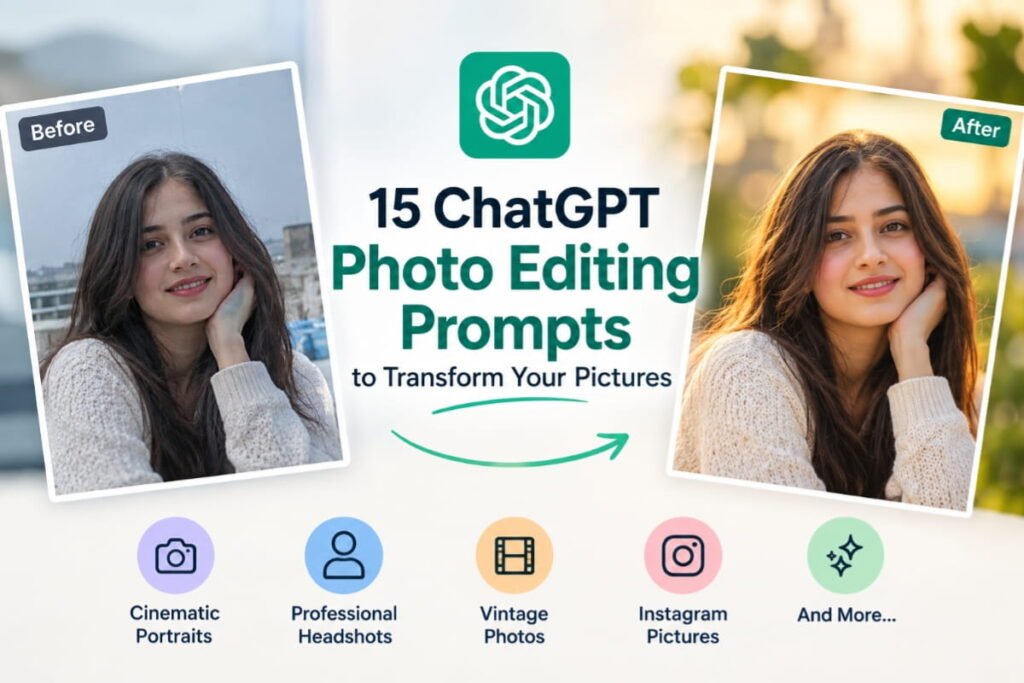
Have you ever wanted to transform an ordinary photo into a cinematic portrait, a professional headshot, or a stunning Instagram picture without spending hours learning photo editing software?
With ChatGPT’s image capabilities, you can explore creative ways to edit your pictures using simple, natural-language instructions.
Instead of adjusting every detail manually, you can upload a suitable photo and describe the changes you want. Depending on the image features available to your account, ChatGPT can help transform your image while following your instructions.
In this guide, you’ll discover 15 ChatGPT photo editing prompts you can copy, customize, and use to experiment with different photography styles.
Whether you want a professional profile picture, a cinematic portrait, a vintage aesthetic, or a beautiful travel photo, these prompts will help you communicate your creative ideas more clearly.
Let’s get started!
What Are ChatGPT Photo Editing Prompts?
ChatGPT photo editing prompts are written instructions that describe how you want an image to be changed.
A prompt might ask ChatGPT to improve the lighting, replace the background, create a cinematic atmosphere, or change the overall photography style.
For example, instead of saying, “Make my photo look better,” you could write:
“Transform this photo into a cinematic portrait with soft golden-hour lighting, natural skin texture, a softly blurred background, and professional color grading. Preserve my recognizable facial features and keep the result realistic.”
The second instruction gives the AI a much clearer idea of the result you want.
The secret to better results is to describe the subject, lighting, background, style, and details you want to preserve.
How to Use These ChatGPT Photo Editing Prompts
Before trying the prompts below, follow these simple steps.
- Open ChatGPT and start a conversation with image-generation or image-editing capabilities available.
- Upload a photo you have permission to edit.
- Choose a prompt from this article.
- Copy the prompt and paste it into the conversation.
- Adjust the instructions if you want a different style or result.
- Review the generated image and request corrections if necessary.
For example, you can ask ChatGPT to brighten the background, make the lighting warmer, or reduce the intensity of a visual effect.
Important: The exact editing options available may vary depending on your account, model, and interface. AI image editing may also change details you wanted to preserve, so check the final result carefully.
Now, let’s explore the 15 prompts!
1. Cinematic Portrait Photo Editing Prompt
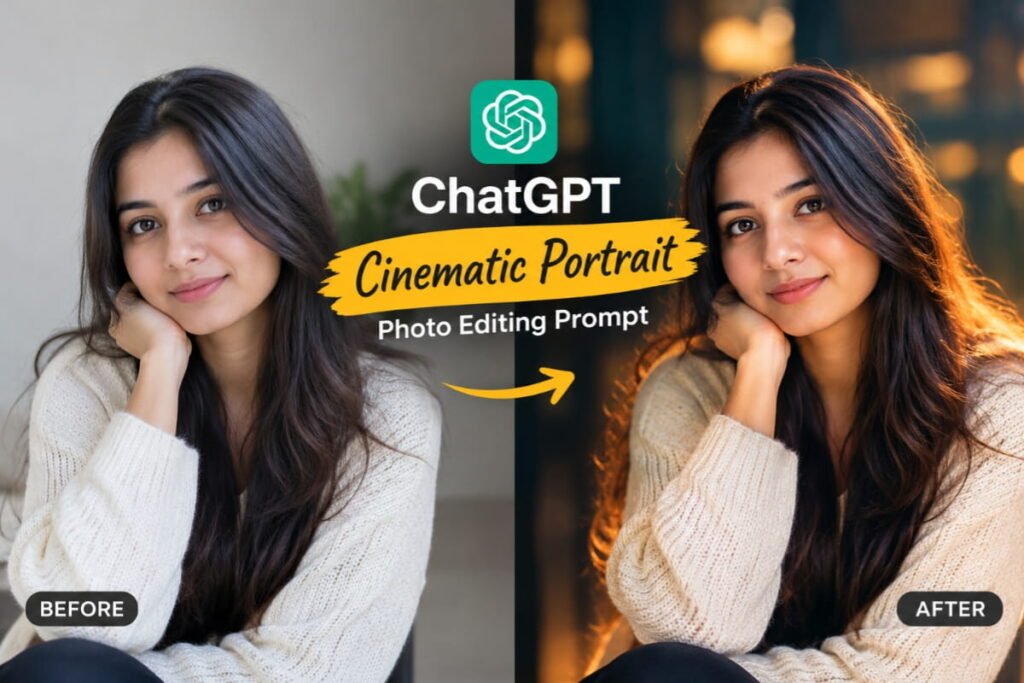
Want your ordinary portrait to look like a scene from a movie?
This prompt creates a cinematic atmosphere using dramatic lighting, rich colors, and a softly blurred background.
Copy-and-paste prompt:
Edit the uploaded photo into a cinematic portrait with professional movie-style color grading. Use soft directional lighting, subtle shadows, natural skin texture, a beautifully blurred background, and balanced contrast. Add a sophisticated cinematic atmosphere with realistic colors and detailed facial features. Preserve the person’s recognizable identity, natural expression, hairstyle, and original pose. Avoid excessive retouching, artificial skin, and unrealistic facial changes. Make the final image look like a professionally photographed cinematic portrait.
Best for:
- Instagram portraits
- Profile pictures
- Creative photography
- Cinematic social media posts
Pro tip: If you prefer a darker cinematic look, add “moody shadows and cool blue highlights.” For a warmer result, request “golden highlights and warm cinematic tones.”
2. Professional Headshot Editing Prompt
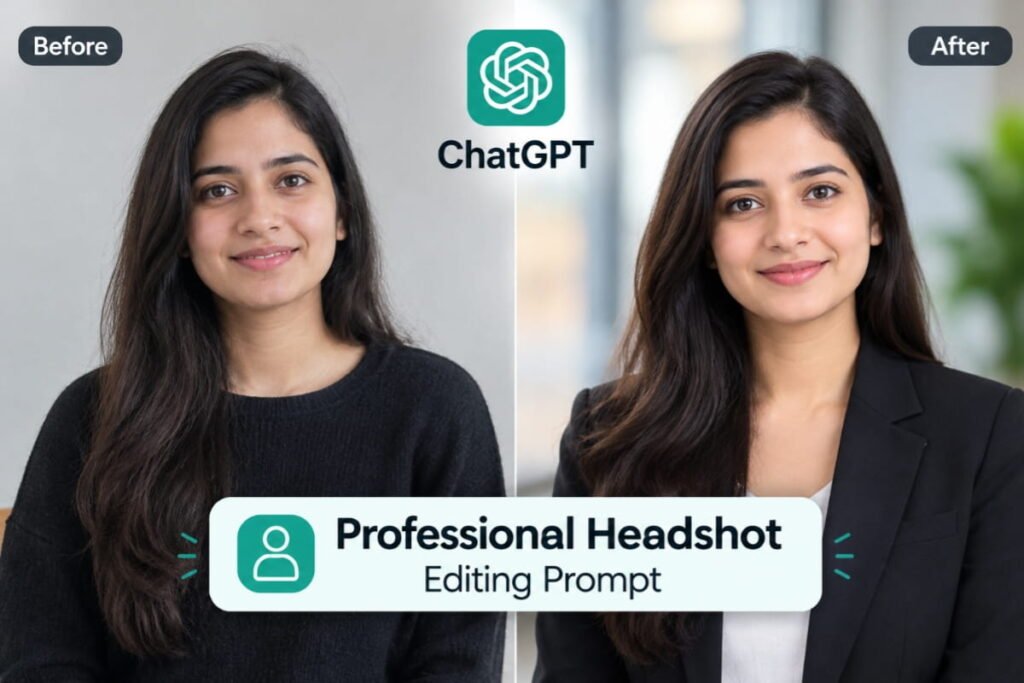
Need a professional photo for LinkedIn, a resume, a portfolio, or your business website?
This prompt aims to create a clean, professional headshot without making your appearance look artificial.
Copy-and-paste prompt:
Transform the uploaded photo into a professional corporate headshot. Use soft studio lighting, natural skin texture, balanced exposure, and a clean, neutral background. Improve the overall image quality while preserving the person’s recognizable facial features, natural expression, hairstyle, and skin tone. Make the clothing appear neat and professional without introducing distracting details. Use realistic photography, subtle retouching, and sharp facial focus. The final image should look authentic, polished, and suitable for a professional profile.
Best for:
- LinkedIn profiles
- Professional portfolios
- Business websites
- Resume photographs
Pro tip: If you need an accurate professional headshot, use a clear original photograph and carefully check that the generated image has not changed your face or clothing in unintended ways.
3. Golden-Hour Photography Prompt
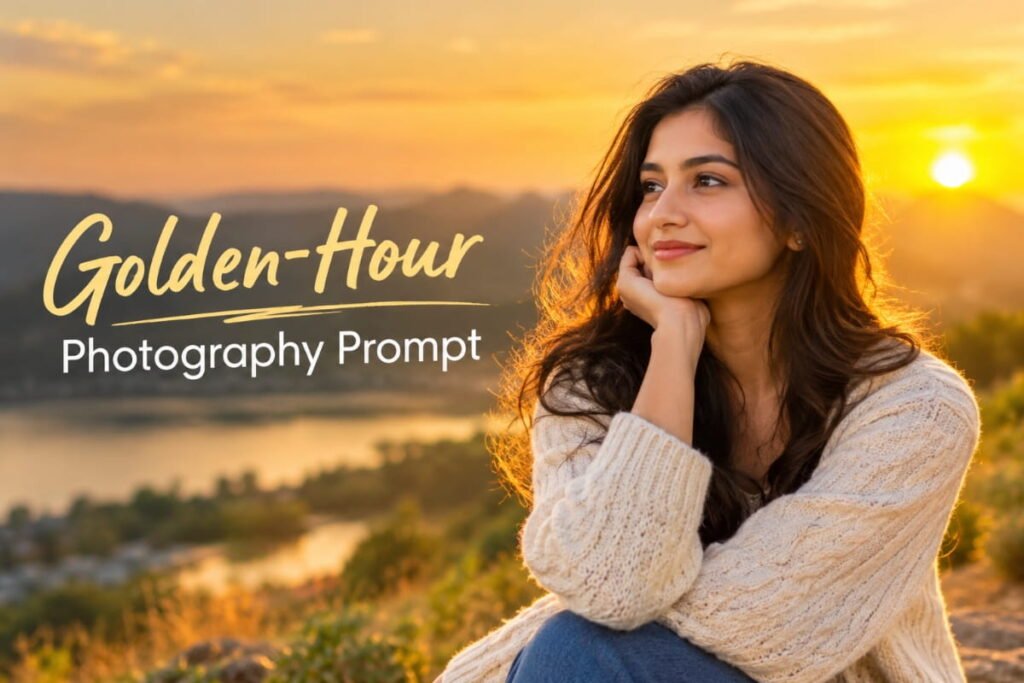
Golden-hour lighting gives photographs a warm, soft, and natural appearance.
Use this prompt when you want your picture to look as though it was taken shortly before sunset.
Copy-and-paste prompt:
Edit the uploaded photo to create a beautiful golden-hour photography effect. Add warm sunlight, soft golden highlights, gentle shadows, and natural skin tones. Create a subtle glow around the subject while maintaining realistic lighting and accurate facial details. Use a softly illuminated background with a warm, peaceful atmosphere. Preserve the person’s recognizable identity, original pose, and natural proportions. Avoid excessive orange tones, artificial skin smoothing, and unrealistic light effects. Make the image resemble a professionally captured outdoor portrait during golden hour.
Best for:
- Outdoor portraits
- Travel photographs
- Couple pictures
- Instagram photography
Pro tip: Add “soft sunlight filtering through trees” for a natural outdoor look.
4. Luxury Fashion Photography Prompt
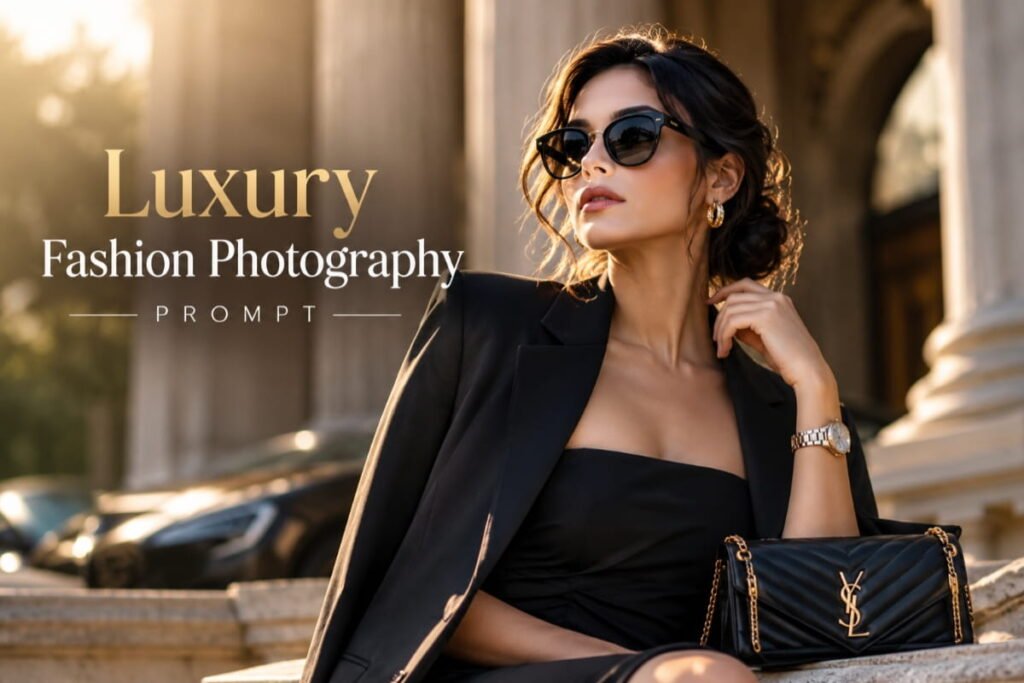
Want your picture to have the polished appearance of a fashion magazine?
This prompt focuses on elegant lighting, refined colors, and editorial-style composition.
Copy-and-paste prompt:
Transform the uploaded photo into a luxury fashion editorial portrait. Use sophisticated studio lighting, refined color grading, elegant composition, and realistic fabric details. Create a premium magazine-style atmosphere with controlled highlights and subtle shadows. Preserve the subject’s recognizable facial features, natural proportions, and original identity. Keep the clothing realistic and avoid adding logos, jewelry, or accessories unless requested. Use high-quality editorial photography as the visual style, with natural skin texture and a clean, polished finish.
Best for:
- Fashion content
- Personal branding
- Style inspiration
- Creative portfolios
Pro tip: Specify a style such as minimalist luxury, contemporary street fashion, or classic editorial photography to make the result more distinctive.
5. Vintage Film Photography Prompt
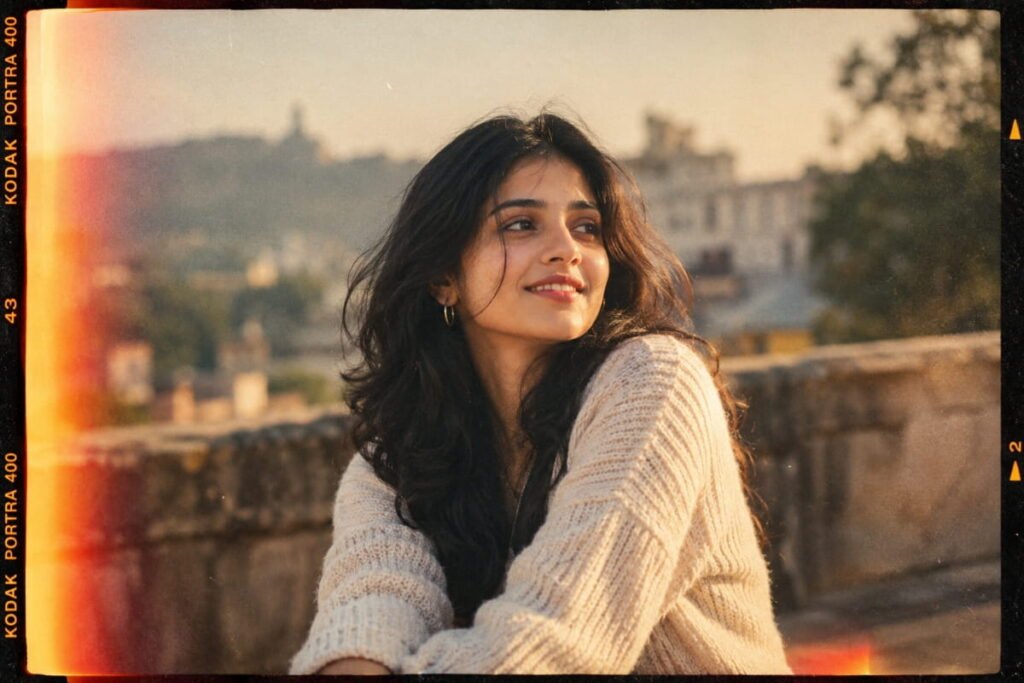
Love the nostalgic appearance of old film photographs?
This prompt gives your picture a vintage-inspired look with subtle grain, softer contrast, and warm colors.
Copy-and-paste prompt:
Edit the uploaded photo to resemble an authentic vintage film photograph. Apply subtle film grain, gently faded colors, soft contrast, and warm nostalgic tones. Introduce delicate highlights and slightly muted shadows while preserving realistic facial details and skin texture. Create a timeless analog photography aesthetic without making the image look damaged or excessively faded. Preserve the person’s recognizable identity, original expression, and pose. Keep the result natural and visually balanced, as though it were captured on a classic film camera.
Best for:
- Nostalgic portraits
- Retro Instagram posts
- Travel memories
- Artistic photography
Pro tip: Add “subtle 1990s film aesthetic” or “classic warm analog photography” to explore different vintage styles.
6. Black-and-White Portrait Prompt
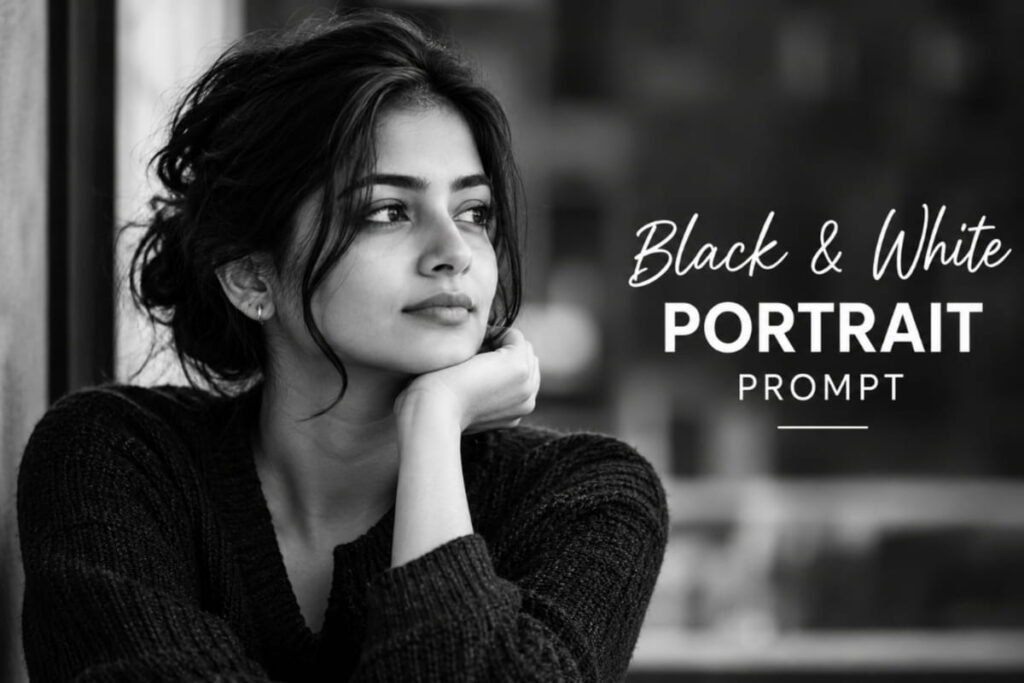
Black-and-white photography can make a simple portrait feel dramatic, timeless, and expressive.
Use this prompt to create a monochrome image with carefully balanced light and shadow.
Copy-and-paste prompt:
Convert the uploaded photo into a professional black-and-white portrait. Use rich monochrome tones, balanced highlights, deep but detailed shadows, and natural skin texture. Emphasize the subject’s facial expression and the composition of the original photograph. Create a timeless fine-art photography aesthetic with subtle contrast and realistic details. Preserve the person’s recognizable identity, facial structure, hairstyle, and natural expression. Avoid excessive sharpening, artificial skin smoothing, and loss of important facial details.
Best for:
- Artistic portraits
- Professional profile photos
- Minimalist photography
- Dramatic social media images
Pro tip: For a softer result, request “low-contrast fine-art monochrome.” For a dramatic portrait, try “stronger directional lighting with controlled shadows.”
7. Dreamy Soft-Aesthetic Photo Prompt
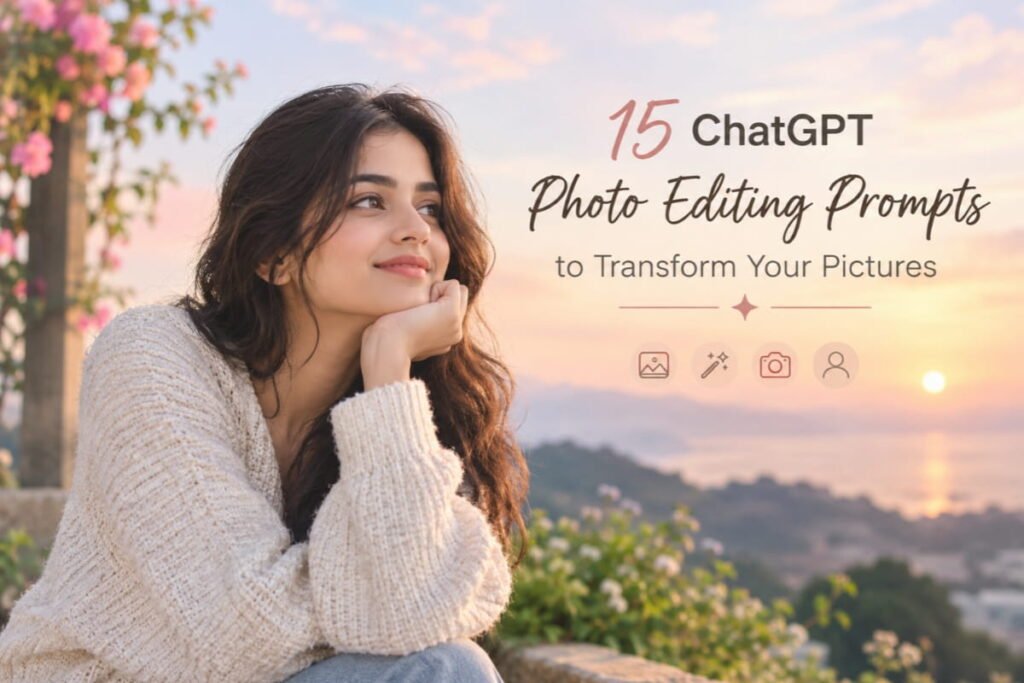
If you prefer gentle colors, soft lighting, and a peaceful atmosphere, try this prompt.
It works particularly well for lifestyle portraits and creative social media content.
Copy-and-paste prompt:
Transform the uploaded photo into a dreamy, soft-aesthetic portrait. Use gentle lighting, pastel-inspired colors, delicate highlights, smooth tonal transitions, and a softly blurred background. Preserve realistic skin texture, natural facial details, and the subject’s recognizable identity. Create a calm, elegant atmosphere without excessive glow, artificial facial changes, or unrealistic proportions. Keep the overall image clean, natural, and visually pleasing, with a subtle editorial photography finish.
Best for:
- Lifestyle photography
- Instagram portraits
- Creative profile pictures
- Soft, pastel-inspired aesthetics
Pro tip: Add “muted pink and cream tones” or “soft lavender and cool pastel tones” to customize the color palette.
8. Rainy-Day Cinematic Portrait Prompt
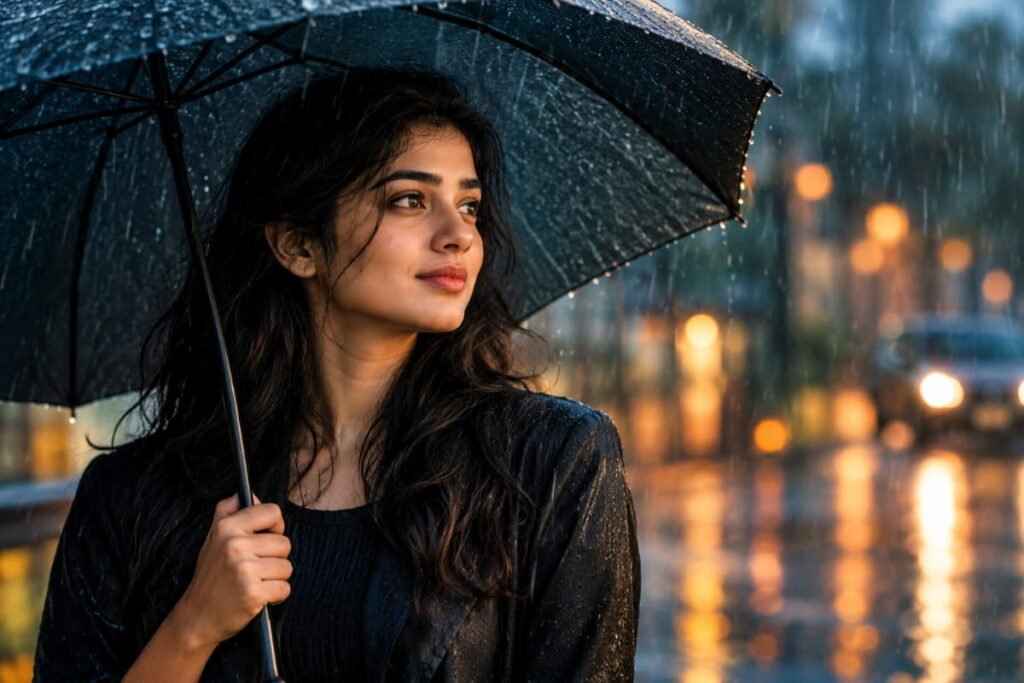
Rainy-day photography can create a dramatic atmosphere with reflections, soft lighting, and rich environmental details.
Use this prompt to give your picture a cinematic rainy-day aesthetic.
Copy-and-paste prompt:
Edit the uploaded photo into a realistic cinematic rainy-day portrait. Create a softly overcast atmosphere with subtle reflections, wet-surface details where appropriate, and gentle directional lighting. Use rich but natural colors, realistic shadows, and a softly blurred background. Preserve the subject’s recognizable facial features, original pose, and natural skin texture. Add rain or moisture effects only where they make visual sense. Avoid unrealistic water droplets on the face, excessive darkness, and artificial-looking effects. Make the final image resemble a professionally photographed scene from a contemporary drama film.
Best for:
- Cinematic portraits
- Moody photography
- Creative social media posts
- Urban photography
Pro tip: For a city atmosphere, add “soft reflections from distant streetlights on wet pavement.”
9. Travel Photography Enhancement Prompt
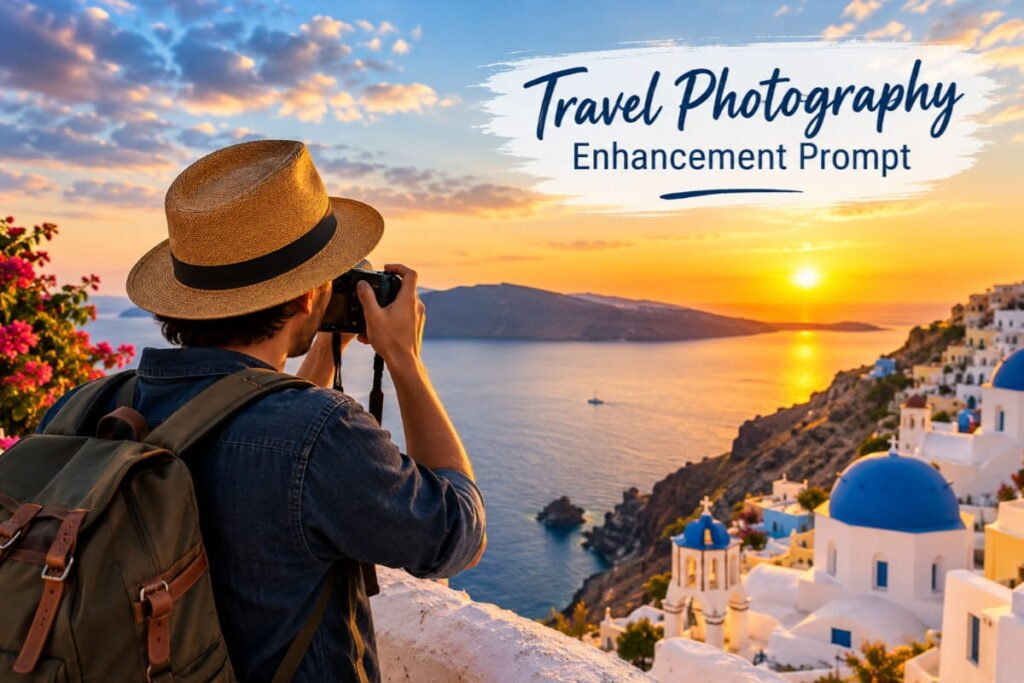
Have a beautiful travel picture that looks dull or poorly lit?
This prompt aims to improve the photograph while preserving the original location and important details.
Copy-and-paste prompt:
Enhance the uploaded travel photograph with professional travel photography editing. Improve exposure, contrast, color balance, and overall clarity while preserving realistic colors and important details. Make the sky, landscape, buildings, and subject appear naturally vibrant without oversaturation. Improve the composition only where necessary, and preserve recognizable landmarks and the original location. Maintain realistic lighting, natural textures, and believable environmental details. Avoid inventing landmarks, changing architectural features, or introducing unrealistic scenery.
Best for:
- Holiday photographs
- Landscape photography
- Travel blogs
- Social media travel posts
Pro tip: If the original image has a dull sky, ask for “a naturally brighter sky with realistic cloud detail” rather than an exaggerated fantasy sky.
10. Minimalist Studio Portrait Prompt
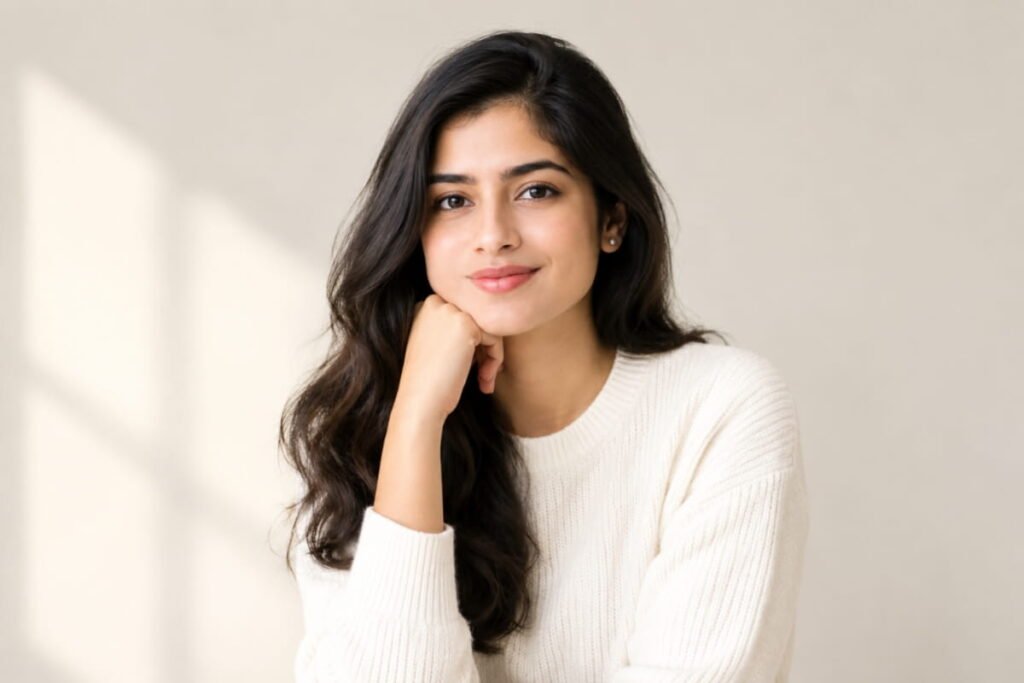
Minimalist portraits focus on the subject instead of distracting backgrounds.
This prompt is useful when you want a clean, elegant, studio-style photograph.
Copy-and-paste prompt:
Transform the uploaded photo into a minimalist studio portrait. Use a clean, uncluttered background, soft professional lighting, natural skin tones, and balanced contrast. Keep the subject as the main visual focus, with realistic facial details and subtle shadows. Preserve the person’s recognizable identity, original expression, and natural proportions. Avoid unnecessary props, decorative elements, artificial skin smoothing, and excessive retouching. Create a refined, modern portrait suitable for professional websites, personal branding, and high-quality profile photography.
Best for:
- Personal branding
- Business profiles
- Portfolio photographs
- Clean, modern portraits
Pro tip: Try a warm gray, off-white, or muted beige background for a subtle professional appearance.
11. Nature-Inspired Portrait Prompt
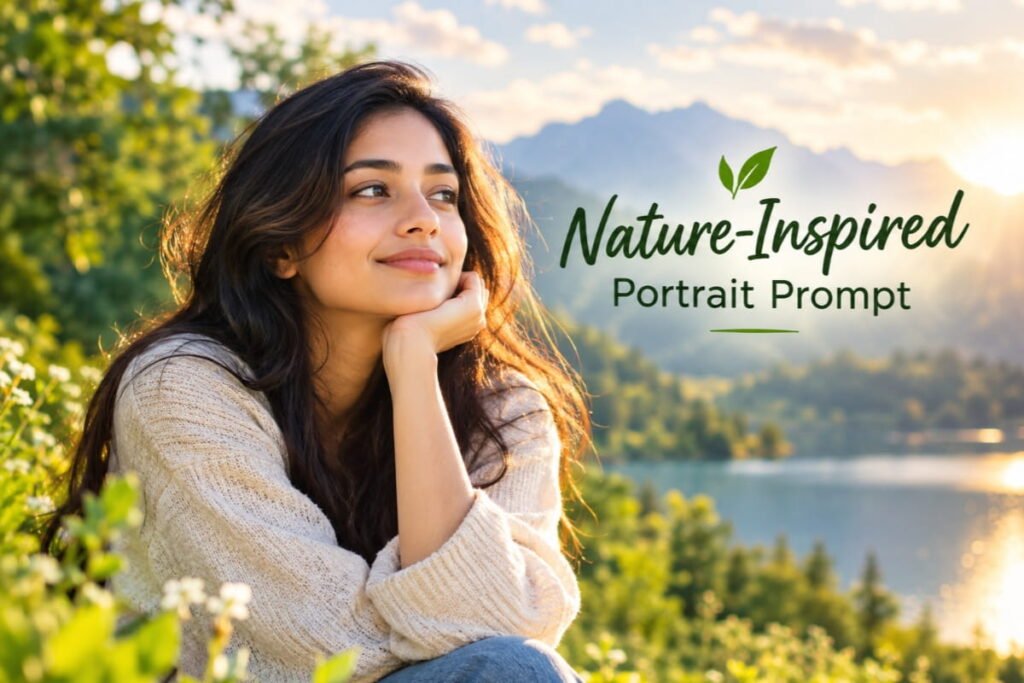
Want a photograph with a natural, peaceful atmosphere?
This prompt combines portrait photography with soft environmental details inspired by gardens, forests, or outdoor settings.
Copy-and-paste prompt:
Edit the uploaded photo into a natural outdoor portrait inspired by peaceful garden photography. Use soft daylight, realistic greenery, gentle background blur, and balanced natural colors. Keep the lighting consistent with the environment and preserve realistic skin texture. Maintain the subject’s recognizable facial features, natural expression, hairstyle, and original pose. Add environmental details only where appropriate, without changing the person’s identity or introducing distracting objects. The final result should look like a genuine photograph captured by a professional outdoor portrait photographer.
Best for:
- Outdoor portraits
- Lifestyle photography
- Nature-inspired social media content
- Personal profile pictures
Pro tip: Specify “spring garden,” “woodland background,” or “soft morning light” to create a more specific atmosphere.
12. Street Photography Prompt
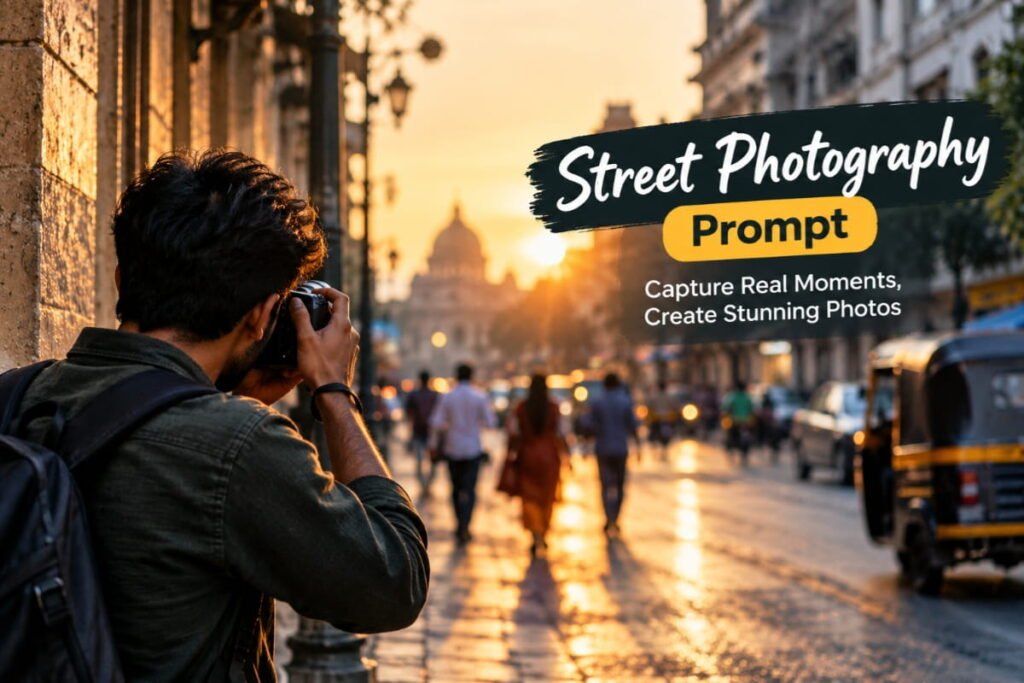
Street photography captures everyday environments, urban architecture, and natural-looking moments.
Use this prompt to create an urban editorial style.
Copy-and-paste prompt:
Transform the uploaded photo into a professional urban street-photography image. Use realistic city lighting, balanced contrast, natural colors, and an authentic urban atmosphere. Preserve the subject’s recognizable facial features, clothing details, original pose, and proportions. Refine the overall composition while maintaining a candid photography aesthetic. Keep buildings, pavement, vehicles, and other environmental details realistic. Avoid excessive color grading, artificial-looking backgrounds, and unrealistic changes to the subject. Create a polished image that still feels spontaneous and authentic.
Best for:
- Urban portraits
- Street-style photography
- Fashion content
- City travel photographs
Pro tip: Add “subtle documentary photography aesthetic” for a natural result or “editorial street-style photography” for a more polished look.
13. Product Photography Enhancement Prompt
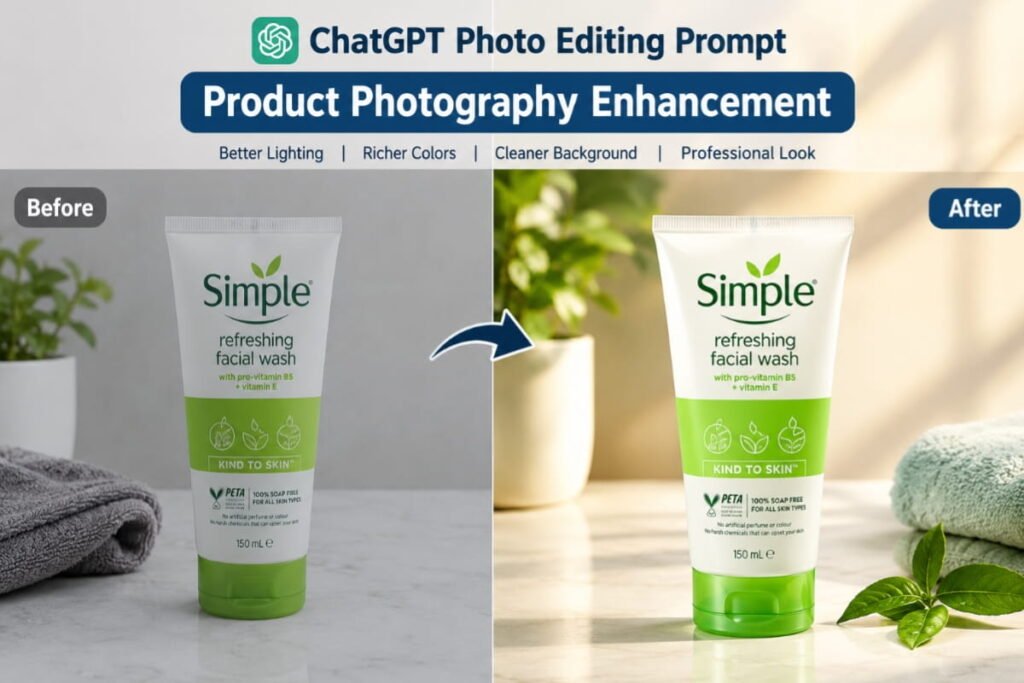
If you sell products online, clean product photographs can make your listings look more professional.
This prompt focuses on presentation while instructing the AI to preserve the actual product.
Copy-and-paste prompt:
Improve the uploaded product photograph for professional e-commerce presentation. Use clean lighting, accurate colors, realistic shadows, and a simple, distraction-free background. Enhance clarity and presentation without changing the product’s actual shape, size, color, material, branding, labels, or important design details. Keep the product fully visible and maintain realistic proportions. Avoid inventing features, adding incorrect text, changing logos, or creating misleading visual details. The final image should look polished, trustworthy, and suitable for an online product listing.
Best for:
- Online stores
- Product catalogs
- Small businesses
- E-commerce listings
Pro tip: Always compare the edited result with the original product. AI-generated changes to labels, logos, colors, or product features can misrepresent what you are selling.
14. Wedding and Couple Photography Prompt
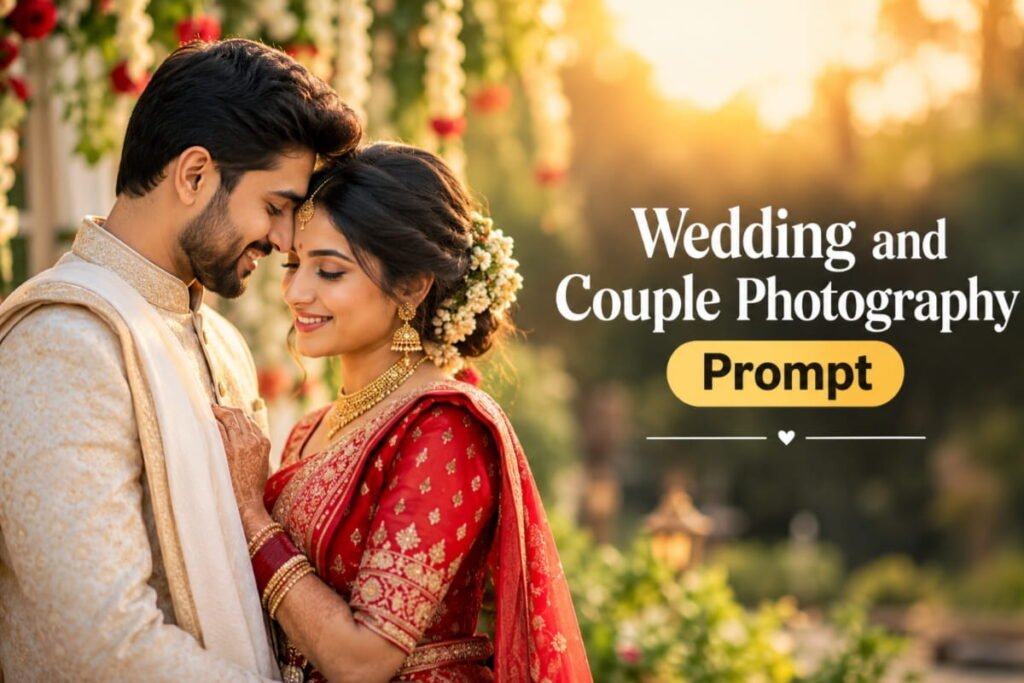
Want a romantic, elegant look for a couple photograph?
This prompt aims to create a soft, polished wedding-photography style while preserving both people.
Copy-and-paste prompt:
Edit the uploaded couple photograph into an elegant, romantic portrait inspired by professional wedding photography. Use soft natural lighting, warm highlights, gentle shadows, and refined color grading. Preserve both individuals’ recognizable facial features, natural expressions, clothing details, and body proportions. Maintain the original relationship and positioning of the subjects without changing their identities. Create a beautiful, timeless atmosphere with realistic skin texture and natural photographic detail. Avoid excessive retouching, distorted hands, unnatural facial changes, or artificial romantic effects.
Best for:
- Couple portraits
- Wedding photographs
- Anniversary pictures
- Romantic social media posts
Pro tip: Add “soft sunset backlighting” or “classic indoor wedding photography” to match the atmosphere you want.
15. High-Quality Instagram Photo Editing Prompt
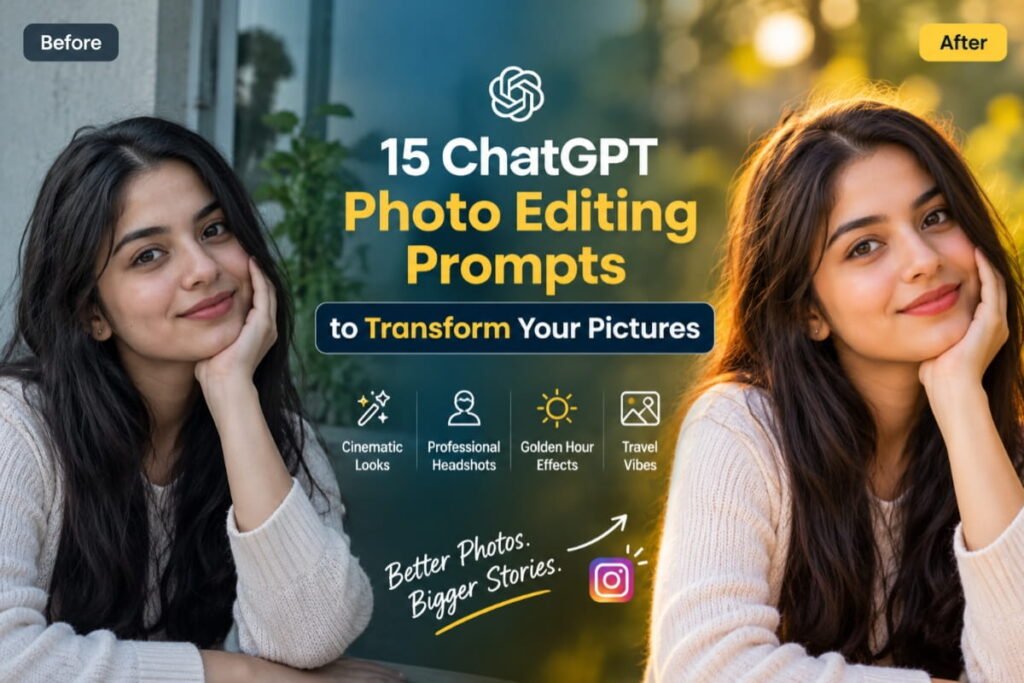
Want a polished image for your next Instagram post?
This all-purpose prompt aims to improve visual consistency without forcing your photograph into an overly dramatic style.
Copy-and-paste prompt:
Enhance the uploaded photo for a polished, high-quality Instagram post. Improve lighting, exposure, color balance, and overall clarity while preserving the subject’s recognizable identity and natural appearance. Create a visually appealing composition with balanced colors, realistic skin texture, and a clean photographic finish. Keep the image authentic rather than excessively filtered. Avoid artificial facial changes, oversaturation, exaggerated effects, and distracting background elements. Preserve important details and prepare the image for the requested aspect ratio without stretching or distorting the subject.
Best for:
- Instagram posts
- Lifestyle content
- Creator profiles
- Everyday photography
Pro tip: Specify the intended format, such as a square post or a vertical 4:5 image, and review the crop before publishing.
Bonus: A Simple Formula for Creating Your Own ChatGPT Photo Editing Prompts
You don’t have to memorize every prompt in this article.
Once you understand the basic structure, you can create customized prompts for almost any photography style.
Try this formula:
Subject + Editing Goal + Lighting + Background + Photography Style + Details to Preserve + Things to Avoid
For example:
- Subject: A portrait of one person.
- Editing goal: Create a professional profile photograph.
- Lighting: Soft studio lighting.
- Background: Clean, neutral gray.
- Photography style: Realistic corporate headshot.
- Details to preserve: Recognizable facial features, hairstyle, skin tone, and natural expression.
- Things to avoid: Artificial skin smoothing and exaggerated facial changes.
Combine these instructions into one clear prompt.
You can also ask ChatGPT to help customize the prompt for a specific image, desired atmosphere, or photography style.
The more clearly you explain your goal, the easier it is to evaluate whether the result matches your expectations.
Tips for Getting Better Results From ChatGPT Photo Editing
Even a well-written prompt may not produce the exact result you imagined on the first attempt. These practical tips can help.
1. Start With a Clear Photograph
Use an image with sufficient resolution, clear facial details, and reasonable lighting when possible.
A heavily blurred or very dark original image can make accurate editing more difficult.
2. Describe the Changes You Want
Instead of writing “Make this photo beautiful,” specify the changes you want.
For example, ask for softer lighting, a cleaner background, or more natural colors.
3. Explain What Must Stay the Same
If preserving identity is important, explicitly request that the subject’s recognizable facial features, hairstyle, expression, and proportions remain unchanged.
This can guide the editing process, although it cannot guarantee perfect identity preservation.
4. Change One or Two Things at a Time
If the result looks wrong, make a targeted correction.
For example:
“Keep the current composition, but reduce the saturation and make the skin texture more natural.”
This is usually easier to evaluate than replacing your entire prompt with a long list of unrelated instructions.
5. Avoid Overediting
Excessive smoothing, oversaturation, artificial lighting, and unrealistic backgrounds can make an edited photo look less authentic.
Aim for a result that suits the purpose of the image.
6. Review the Final Image Carefully
Check faces, hands, clothing, text, logos, background objects, and other important details.
This is particularly important when the image will be used professionally or commercially.
7. Respect Privacy and Image Rights
Only upload images you have permission to use. Be thoughtful when editing photographs of other people, particularly for public or commercial use.
Review the relevant privacy settings and terms for the tools you use.
Frequently Asked Questions (FAQs)
1. Can I edit photos using ChatGPT?
Yes. ChatGPT offers image-generation and image-editing capabilities in supported experiences. You can upload an image and describe the changes you want, subject to the features available to your account.
2. Are these ChatGPT photo editing prompts free to use?
The prompts in this article are free to copy and customize. However, access to image-generation and editing features may depend on your ChatGPT plan, account limits, and available tools.
3. Can ChatGPT make my photo look professional?
ChatGPT can help you experiment with professional-style lighting, backgrounds, color grading, and composition. Results vary, so review the final image carefully before using it.
4. How can I preserve my face when editing a photo?
Use a clear reference image and explicitly ask the AI to preserve your recognizable facial features, natural expression, hairstyle, and proportions. Avoid requesting too many changes at once. However, identity preservation is not guaranteed.
5. Can I use these prompts for Instagram photos?
Yes. You can adapt them for portraits, lifestyle images, travel photographs, and other social media content. Specify the intended aspect ratio and review the crop before publishing.
6. Which ChatGPT photo editing prompt is best for beginners?
The golden-hour, minimalist studio portrait, and Instagram enhancement prompts are good starting points because their instructions focus on a small number of clear visual changes.
7. Can I use AI-edited images for commercial purposes?
That depends on the tool’s applicable terms, the rights associated with the original image, and any relevant laws or third-party rights. Review these requirements before using an edited image commercially.
8. Why does ChatGPT sometimes change details I wanted to preserve?
Image editing can introduce unintended changes to faces, hands, text, clothing, or backgrounds. Use more specific instructions, make targeted corrections, and compare the output with the original photograph.
Final Thoughts
You don’t need to be a professional photographer to experiment with creative photo editing.
With the right instructions, ChatGPT can help you explore cinematic portraits, professional headshots, vintage photography, travel images, product photographs, and many other visual styles.
The 15 ChatGPT photo editing prompts in this guide provide a starting point. Copy the ones that match your goal, adjust the details, and experiment until you find a result you like.
Remember that prompts guide the editing process rather than guarantee a perfect image. The best results often come from starting with a clear photograph, describing your goal precisely, and making small corrections when needed.
Which prompt will you try first? Experiment with your favorite style and discover new ways to transform your pictures.
For more practical AI prompts, tutorials, and tool guides, explore AI Prompt Dekho and keep discovering smarter ways to use AI.