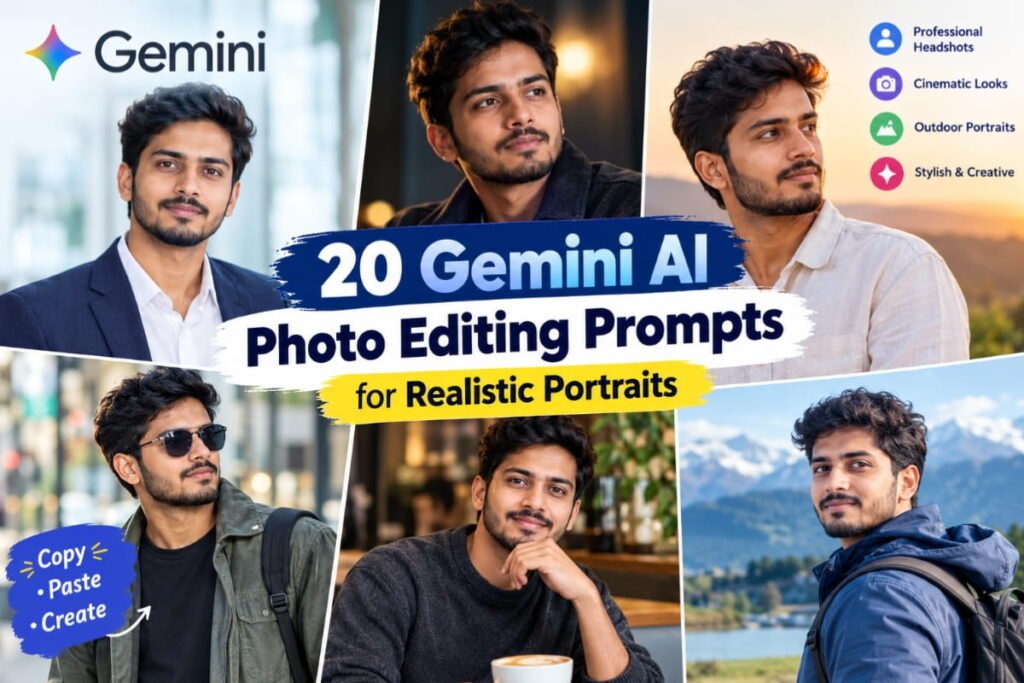
Want to transform your ordinary photos into stunning, realistic portraits using Google Gemini AI? With the right photo editing prompt, you can create professional-looking portraits, cinematic photos, natural outdoor shots, stylish Instagram pictures, and studio-quality images without learning complicated editing software.
In this guide, we have shared 20 Gemini AI photo editing prompts for realistic portraits that you can copy, paste, and customize to create your own unique images. Whether you want a professional headshot, a cinematic portrait, a casual street-style photo, or a natural golden-hour look, these prompts will help you explore different photography styles while keeping your original appearance recognizable.
The best part? You can start with your own photo and describe the changes you want in simple language.
How to Use Gemini AI Photo Editing Prompts
Follow these simple steps to edit your photo using Gemini AI.
- Open Google Gemini in your browser or app.
- Upload a clear photo of yourself that you want to edit.
- Choose one of the Gemini AI photo editing prompts from this article.
- Copy the complete prompt and paste it into the chat.
- Ask Gemini to edit your uploaded photo while preserving your facial identity.
- Review the result and refine the prompt if you want different lighting, clothing, backgrounds, or camera angles.
Pro tip: Start with a clear, well-lit photo. For more consistent results, explicitly ask Gemini to preserve your face shape, skin tone, hairstyle, and natural skin texture.
Note: Prompt Applicable for Both Men and Women
20 Gemini AI Photo Editing Prompts for Realistic Portraits
Here are 20 ready-to-use prompts for different portrait styles. Upload your own photo first, then copy the prompt that matches the look you want.
1. Ultra-Realistic Professional Portrait
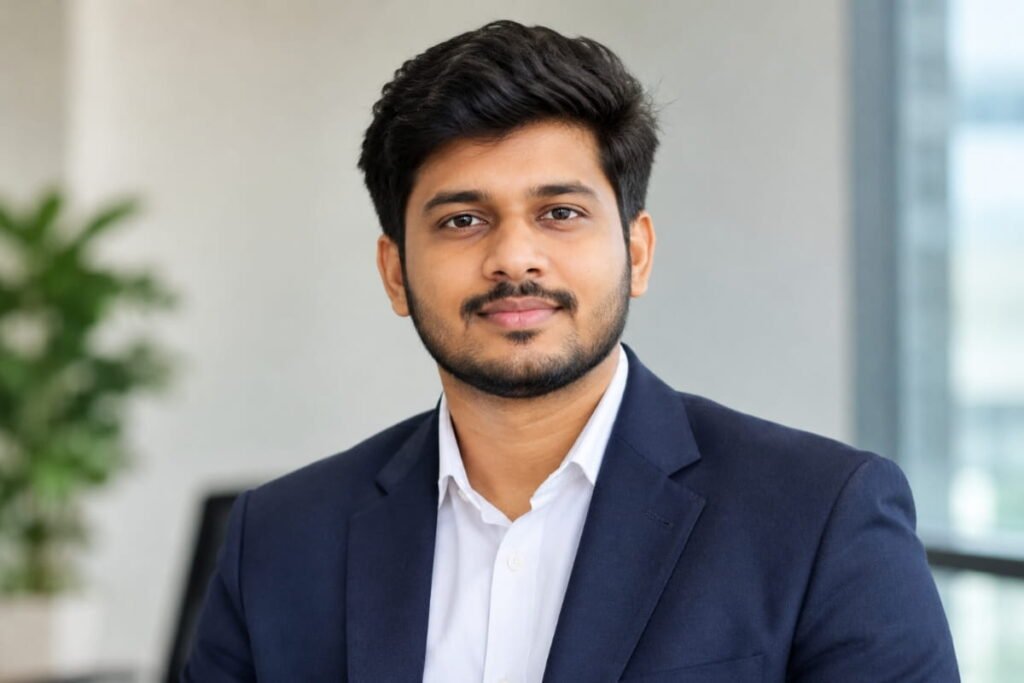
Best for: LinkedIn profiles, professional portfolios, and personal branding.
Prompt:
“Edit my uploaded photo into an ultra-realistic professional portrait. Preserve my original facial identity, face shape, skin tone, eyes, nose, and natural expression. Dress me in a perfectly fitted dark navy blazer with a clean white shirt. Use soft studio lighting, a subtle neutral background, realistic skin texture, natural shadows, sharp eye focus, and professional portrait photography. Keep the image elegant, authentic, and photorealistic. Avoid excessive skin smoothing, artificial facial features, and beauty filters.”
2. Cinematic Portrait With Moody Lighting
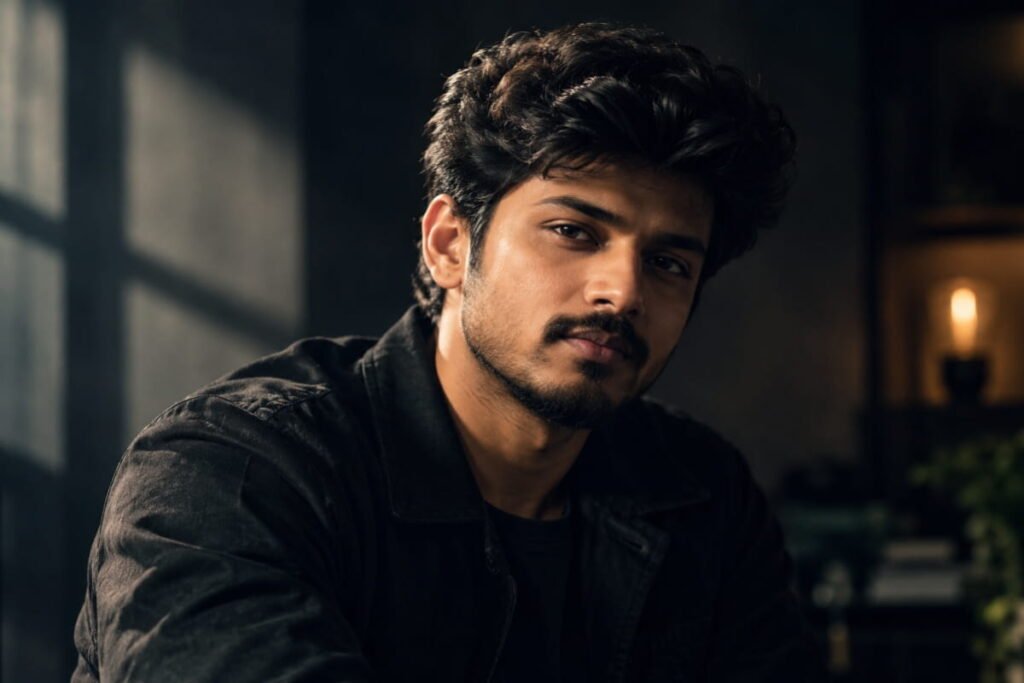
Best for: Instagram posts, creative profiles, and dramatic portraits.
Prompt:
“Transform my uploaded photo into a cinematic, photorealistic portrait while keeping my face and identity unchanged. Use soft directional lighting from one side, gentle shadows across the face, a dark blurred background, and subtle warm highlights. Preserve realistic pores, natural hair texture, and accurate facial proportions. Give the image a premium movie-still aesthetic with a 50mm portrait lens look, shallow depth of field, and natural color grading. Do not make the face look artificial or overly retouched.”
3. Golden Hour Outdoor Portrait
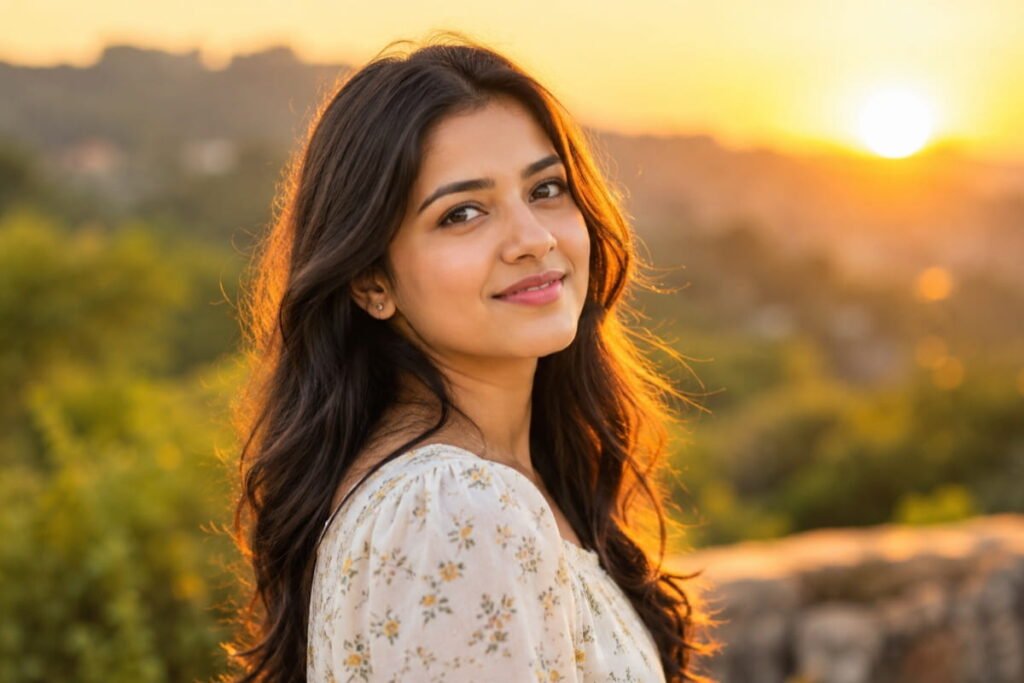
Best for: Travel photos, social media, and warm aesthetic portraits.
Prompt:
“Edit my photo into a realistic outdoor portrait during golden hour. Preserve my original facial features, hairstyle, skin tone, and expression. Add warm sunlight falling gently across my face, soft golden highlights in my hair, and a naturally blurred outdoor background. Use realistic shadows, balanced exposure, natural skin texture, and warm but accurate colors. Make the photograph feel like it was captured by a professional photographer shortly before sunset. Avoid exaggerated orange tones and artificial glow.”
4. Luxury Fashion Editorial Portrait
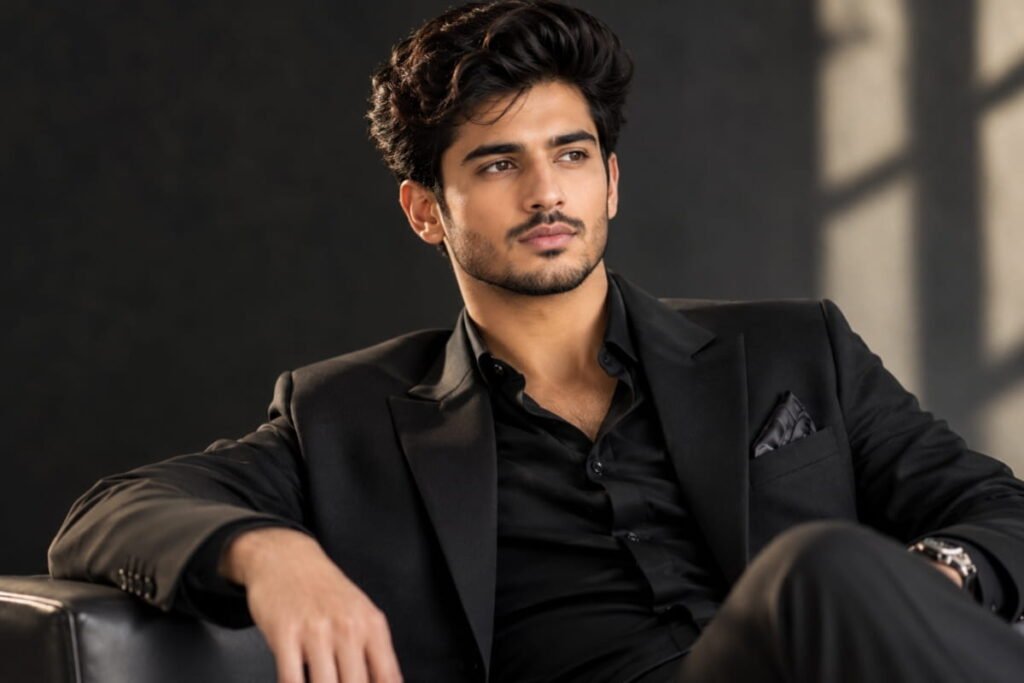
Best for: Fashion content, stylish profiles, and editorial photography.
Prompt:
“Turn my uploaded photo into a high-end fashion editorial portrait without changing my identity. Style me in an elegant, well-tailored black outfit with refined details. Use sophisticated studio lighting, a clean charcoal background, realistic fabric textures, natural skin details, and precise facial focus. Create a polished magazine-photography aesthetic with controlled highlights and subtle shadows. Keep the pose believable, the proportions accurate, and the final image photorealistic rather than digitally illustrated.”
5. Natural Window-Light Portrait
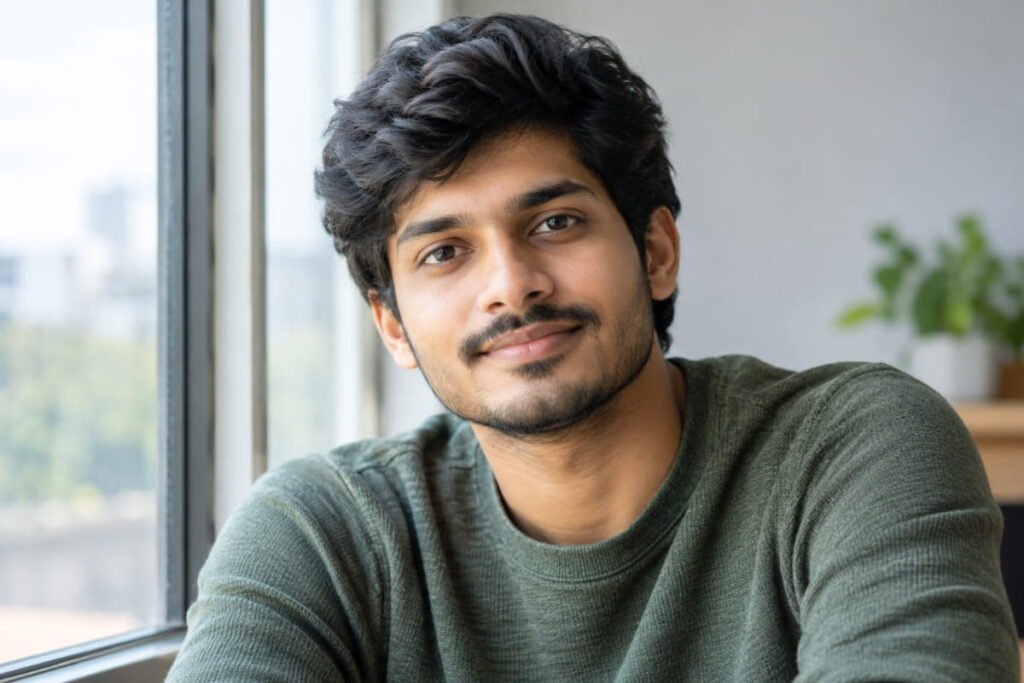
Best for: Minimalist aesthetics, lifestyle photography, and natural-looking selfies.
Prompt:
“Edit my uploaded image into a soft, natural portrait photographed beside a large window. Preserve my face, skin tone, hairstyle, and original identity. Add gentle daylight coming through the window, soft shadows, realistic catchlights in the eyes, and a simple neutral indoor background. Maintain visible skin texture, natural under-eye details, and realistic hair strands. Use a relaxed expression and a subtle, authentic photographic finish. Avoid excessive retouching, artificial skin shine, or overly bright facial highlights.”
6. Premium Black-and-White Portrait
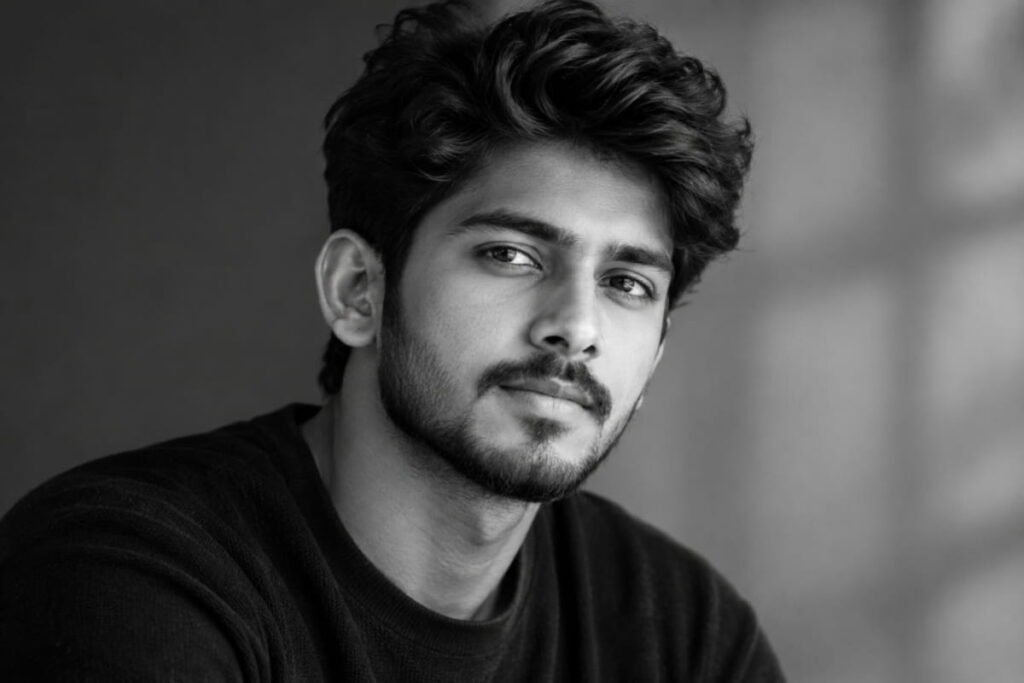
Best for: Artistic profile pictures and timeless photography.
Prompt:
“Create a timeless black-and-white portrait from my uploaded photo. Keep my facial identity, facial proportions, hairstyle, and expression unchanged. Use rich grayscale tones, detailed shadows, soft directional studio lighting, and natural skin texture. Emphasize the eyes, hair, and subtle facial details without making them look harsh. Use a clean, uncluttered background and professional fine-art portrait photography. The result should look like a real monochrome photograph, not a drawing or an AI-generated illustration.”
7. Casual Street-Style Portrait
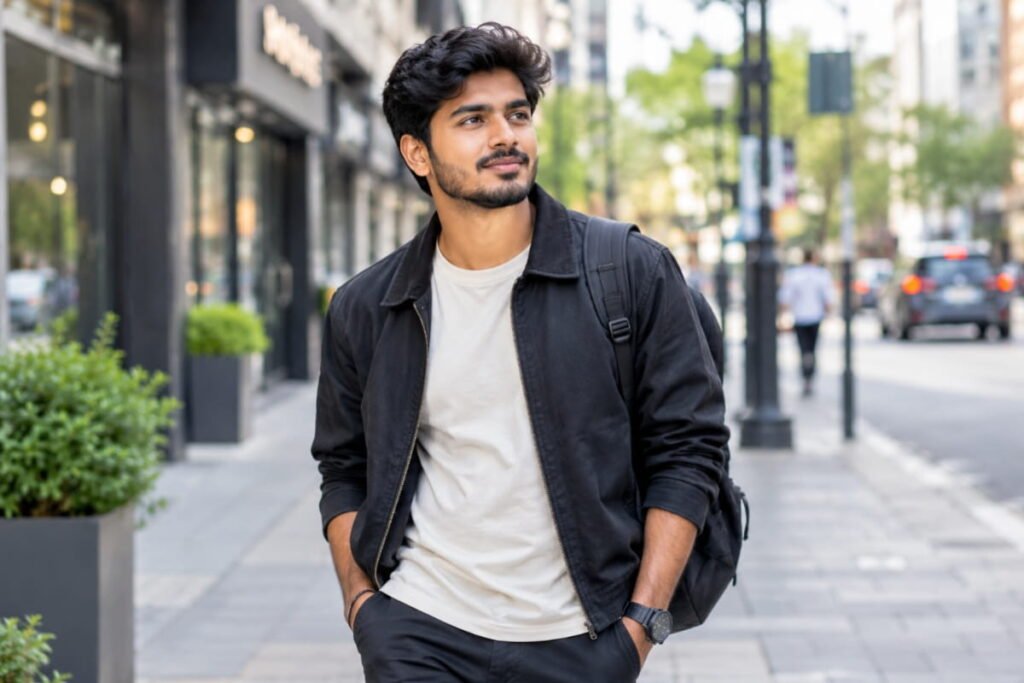
Best for: Everyday fashion, Instagram, and urban lifestyle content.
Prompt:
“Transform my uploaded photo into a realistic urban street-style portrait while preserving my identity and natural appearance. Dress me in a stylish casual outfit with a neutral jacket, well-fitted trousers, and clean sneakers. Place me on a modern city street with softly blurred buildings and natural ambient light. Use believable fabric folds, accurate body proportions, realistic skin texture, and subtle background depth. Keep the pose relaxed and confident, like a candid photo taken by a street photographer. Avoid exaggerated fashion styling or artificial body proportions.”
8. Soft Pastel Aesthetic Portrait
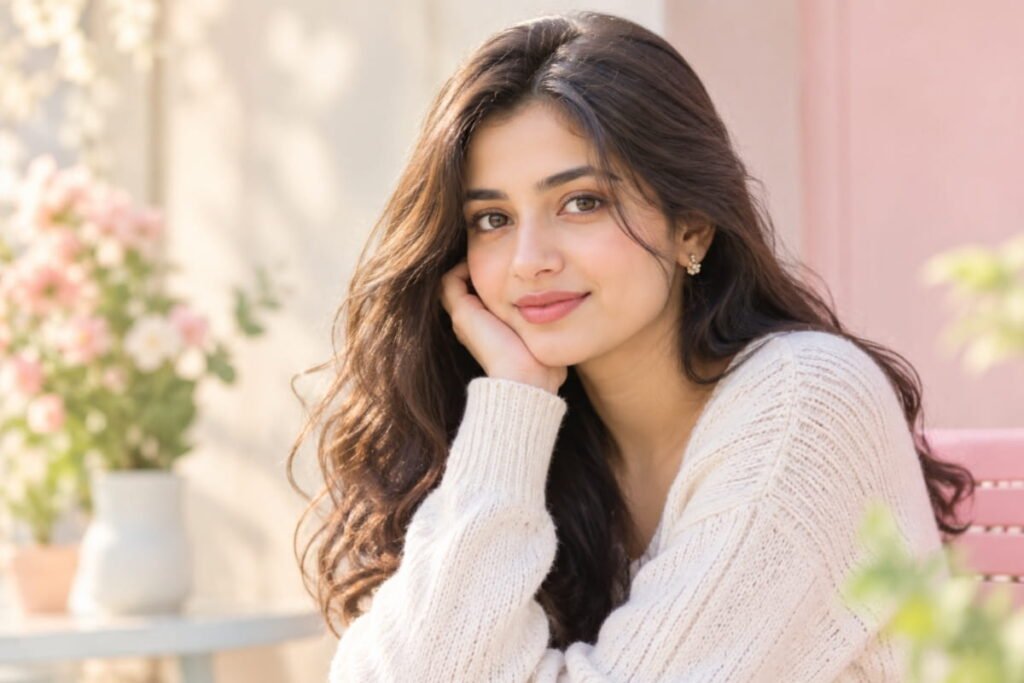
Best for: Soft Instagram aesthetics and elegant profile pictures.
Prompt:
“Edit my photo into a soft pastel aesthetic portrait while preserving my original face, skin tone, and hairstyle. Use a pale beige, cream, and muted pink color palette with diffused natural light. Add a simple, softly blurred background and gentle highlights without washing out facial details. Keep skin texture realistic and colors natural. The image should feel airy, elegant, and professionally photographed, with subtle contrast and no cartoon-like effects or excessive beauty retouching.”
9. Rainy-Day Cinematic Portrait
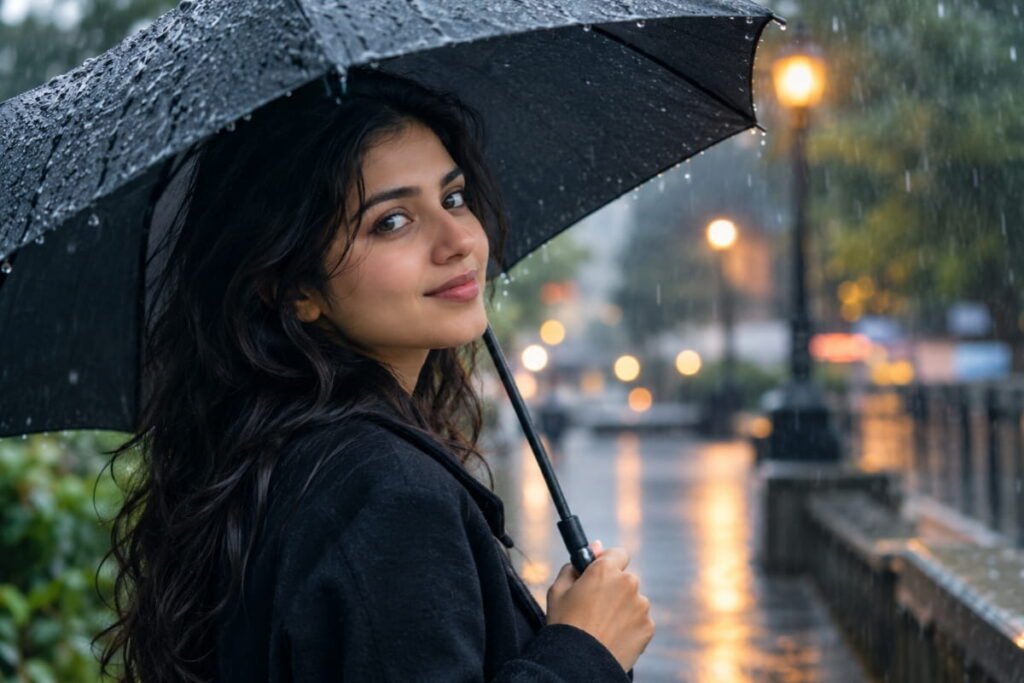
Best for: Moody social media posts and cinematic photography.
Prompt:
“Create a realistic cinematic portrait of me on a rainy city street. Preserve my exact facial identity, natural skin tone, hairstyle, and recognizable features. Add a softly blurred urban background with realistic wet pavement, subtle reflections, and gentle overcast lighting. Include a few natural raindrops on my clothing and hair without obscuring my face. Use cool, balanced colors, realistic skin texture, and shallow depth of field. Make the scene atmospheric and believable, like a real photograph taken by a professional photographer.”
10. Clean Minimalist Studio Portrait
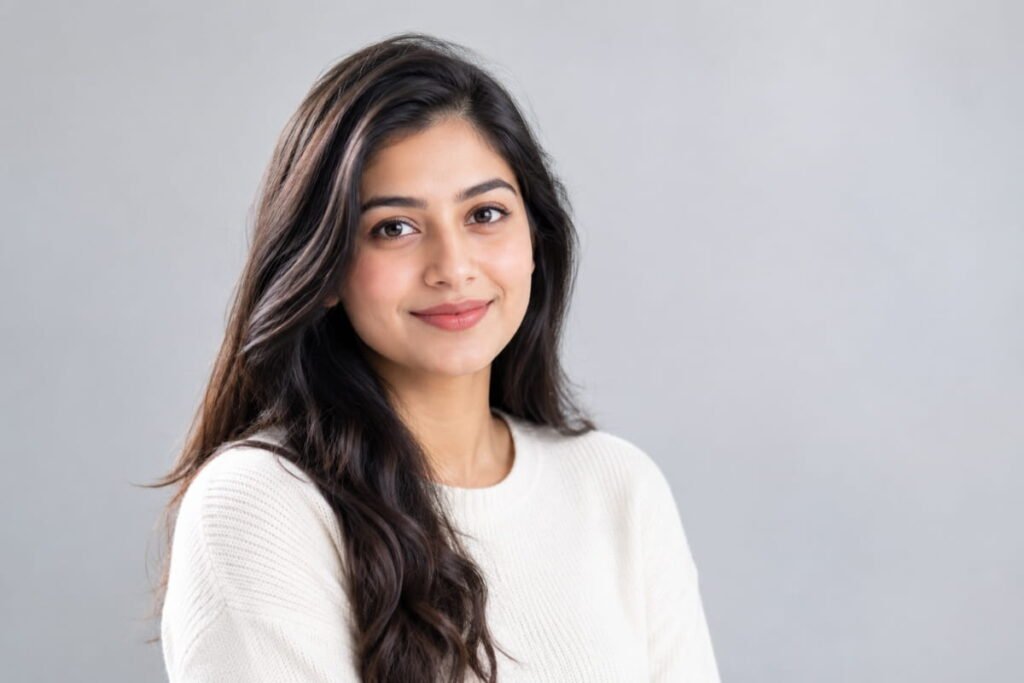
Best for: Profile photos, portfolios, and modern personal branding.
Prompt:
“Edit my uploaded photo into a clean minimalist studio portrait. Preserve my original face, expression, skin tone, and hairstyle. Use a smooth light-gray or warm-white background, soft frontal lighting, subtle shadows, and crisp eye detail. Keep the composition simple with natural posture and realistic clothing textures. Maintain authentic skin pores and natural facial asymmetry. Make the result look like a professionally shot studio photograph with balanced exposure, accurate colors, and no unnecessary visual effects.”
11. Travel Portrait With a Beautiful Background
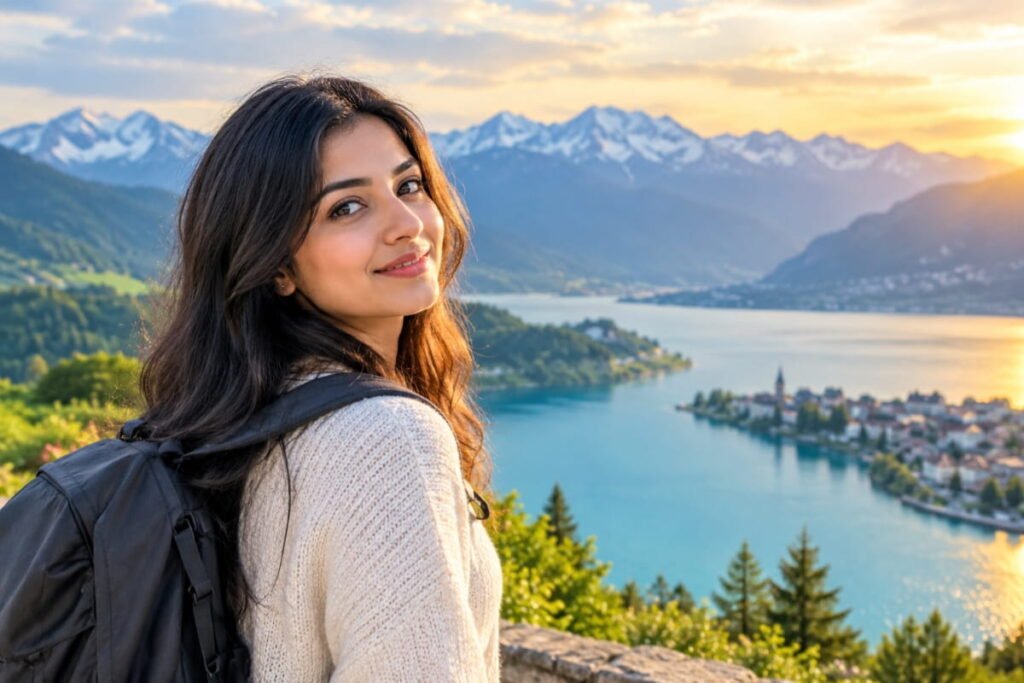
Best for: Travel memories, vacation photos, and lifestyle content.
Prompt:
“Transform my uploaded photo into a realistic travel portrait in a beautiful outdoor destination. Preserve my identity, facial features, skin tone, and hairstyle. Place me naturally in a scenic location with distant mountains, charming architecture, or a beautiful coastal view. Use realistic daylight, atmospheric depth, accurate perspective, and a softly blurred background that keeps attention on my face. Maintain natural skin texture and believable clothing details. The image should resemble a genuine travel photograph, not a composite with mismatched lighting.”
12. Warm Cafe Lifestyle Portrait
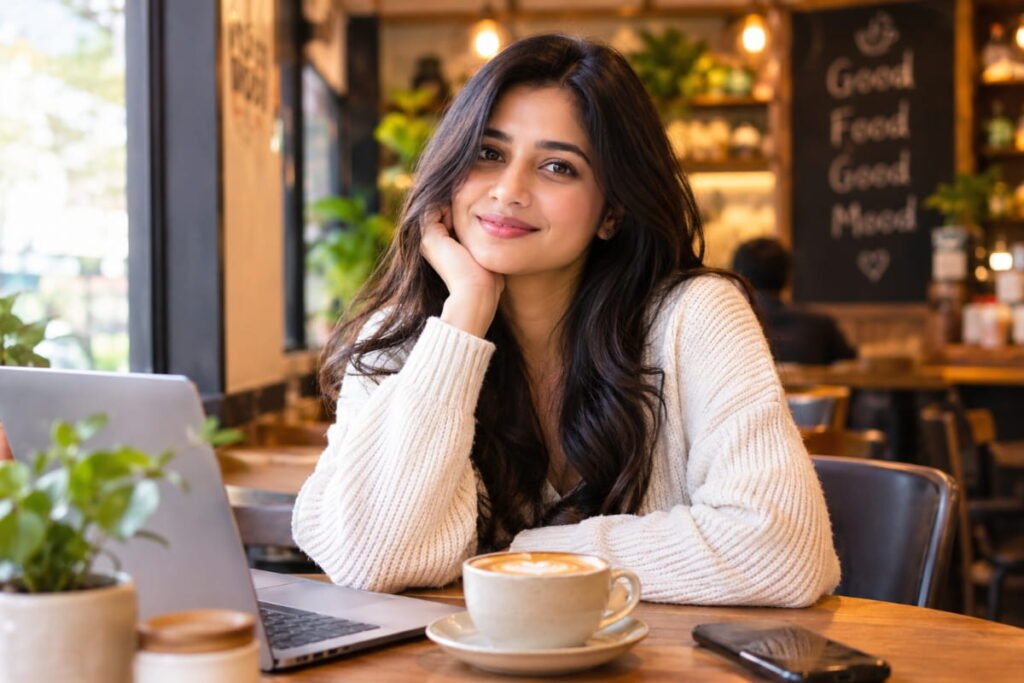
Best for: Cozy aesthetics, lifestyle blogs, and casual social media posts.
Prompt:
“Edit my photo into a natural lifestyle portrait inside a cozy modern cafe. Keep my face, hairstyle, skin tone, and identity unchanged. Place me near a window with a coffee cup on the table and a softly blurred cafe background. Use warm ambient lighting, realistic reflections, natural shadows, and authentic skin texture. Give me a relaxed, candid expression and a comfortable casual outfit. Maintain realistic hands, fingers, and object proportions. The final image should feel spontaneous, warm, and professionally photographed.”
13. Dramatic Side-Lighting Portrait
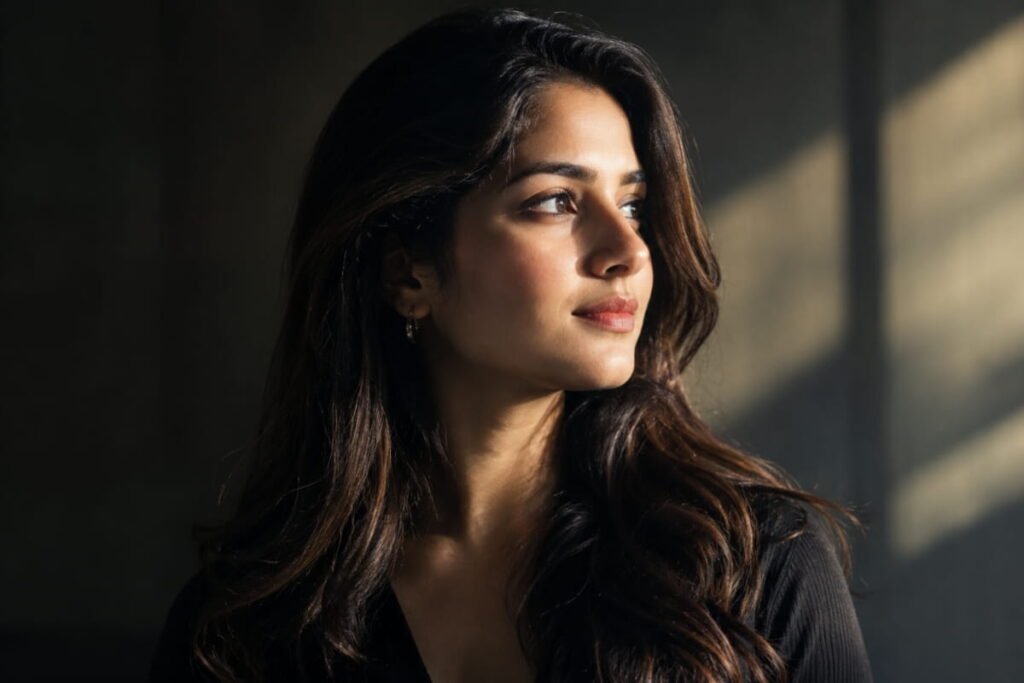
Best for: Artistic portraits and bold personal branding.
Prompt:
“Create a photorealistic portrait from my uploaded photo using dramatic side lighting. Preserve my exact facial identity and natural facial structure. Illuminate one side of my face with a soft, controlled light source while allowing gentle shadows on the other side. Use a deep neutral background, realistic skin texture, sharp eye focus, and natural hair details. Maintain balanced highlights and believable shadows. Give the photograph a powerful, elegant mood without distorting my features or making the lighting look digitally painted.”
14. Natural Smiling Portrait
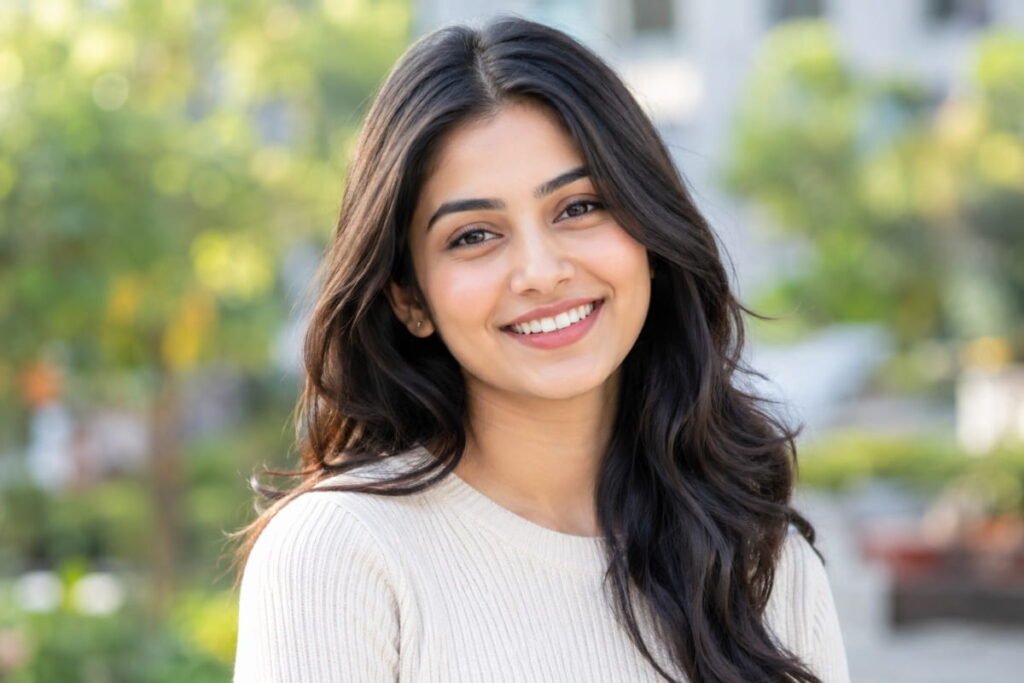
Best for: Friendly profile pictures, personal websites, and social media.
Prompt:
“Enhance my uploaded photo into a bright, natural-looking smiling portrait. Preserve my identity, face shape, skin tone, hairstyle, and recognizable facial details. Give the image a warm, relaxed atmosphere with soft natural daylight and a clean outdoor or neutral background. Keep the smile authentic and proportional to my original expression. Maintain realistic teeth, natural skin texture, and accurate eye details. Avoid exaggerated smiles, artificial whitening, face reshaping, or heavy beauty filters.”
15. Sunset Beach Portrait
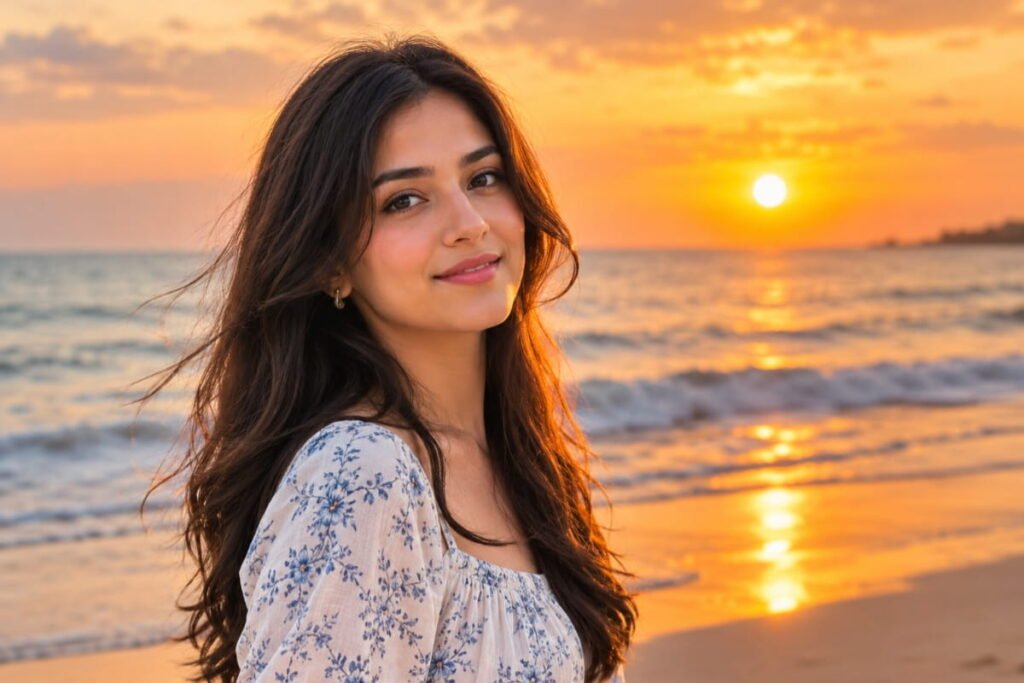
Best for: Vacation pictures, summer aesthetics, and relaxed lifestyle photos.
Prompt:
“Edit my uploaded photo into a realistic beach portrait at sunset. Preserve my facial identity, hairstyle, skin tone, and natural body proportions. Place me near the shoreline with softly illuminated waves, a warm horizon, and a subtle ocean breeze moving my hair and clothing. Use natural golden light, realistic shadows, and a softly blurred background. Maintain true-to-life skin texture and believable reflections. Keep the composition elegant and natural, like a professional travel photographer captured the moment.”
16. Rainy Neon City Portrait
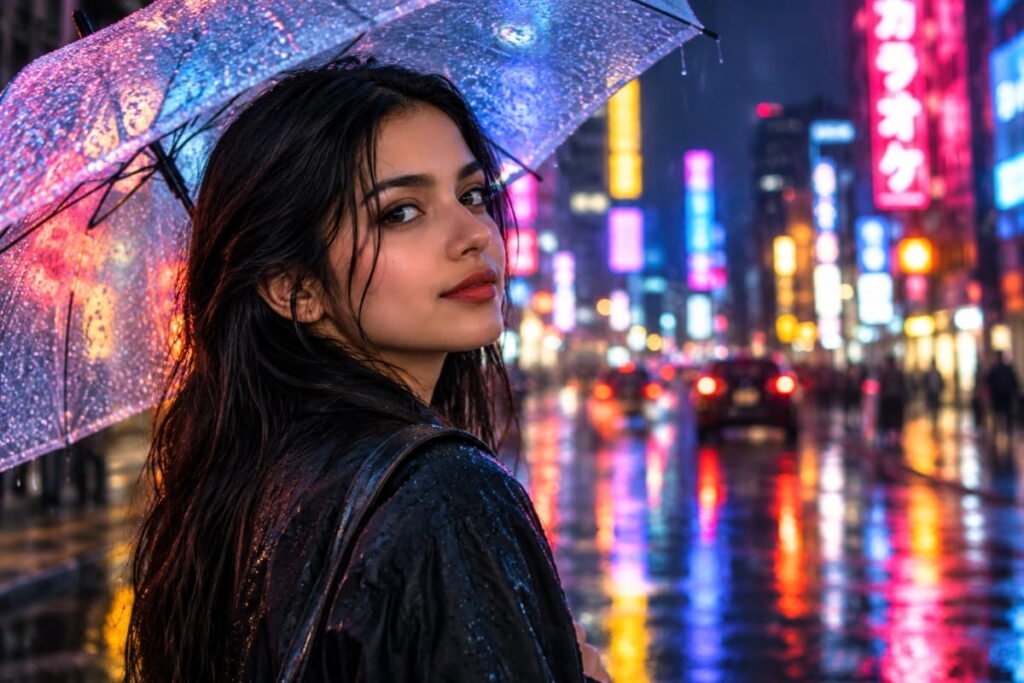
Best for: Modern urban aesthetics and colorful cinematic portraits.
Prompt:
“Transform my uploaded image into a photorealistic nighttime city portrait with subtle neon lighting. Preserve my face, identity, hairstyle, and natural skin tone. Add softly blurred blue and magenta signs in the background with realistic reflections on nearby wet surfaces. Let the colored light fall naturally on the edges of my face and clothing without changing my actual skin color. Use detailed eye focus, realistic skin texture, balanced contrast, and cinematic depth of field. Avoid excessive saturation, artificial facial glow, and fantasy-style effects.”
17. Elegant Traditional Outfit Portrait
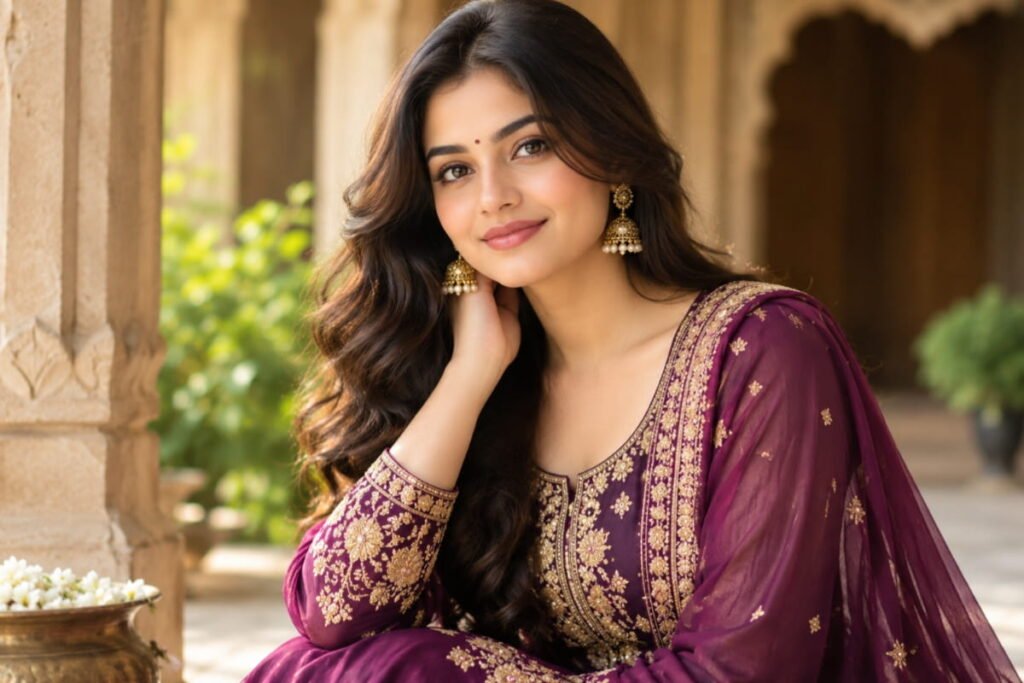
Best for: Cultural celebrations, festive posts, and traditional fashion.
Prompt:
“Edit my uploaded photo into an elegant, photorealistic traditional outfit portrait. Preserve my original facial identity, skin tone, hairstyle, and natural expression. Dress me in a beautifully detailed traditional outfit with realistic embroidery, fabric folds, and tasteful accessories appropriate to the style. Use warm, soft lighting and a refined background inspired by elegant Indian architecture. Maintain accurate clothing details, natural skin texture, realistic proportions, and believable shadows. Keep the final photograph sophisticated and authentic without changing my facial features.”
18. Professional Outdoor Headshot
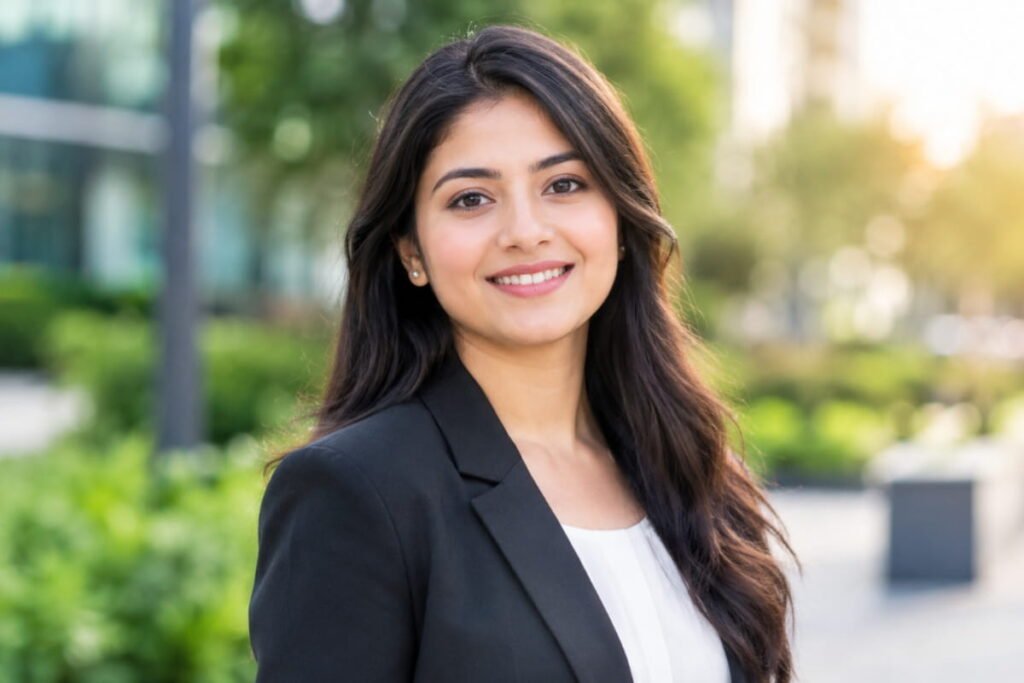
Best for: Business profiles, resumes, and professional websites.
Prompt:
“Turn my uploaded photo into a professional outdoor headshot. Preserve my identity, face shape, hairstyle, skin tone, and natural expression. Use a softly blurred green or neutral outdoor background, flattering natural daylight, and realistic facial shadows. Dress me in smart business-casual clothing with accurate fabric details. Keep the framing from the shoulders upward, with sharp focus on the eyes and natural skin texture. Make the image approachable, confident, and suitable for a professional profile without artificial retouching.”
19. Vintage Film Photography Portrait
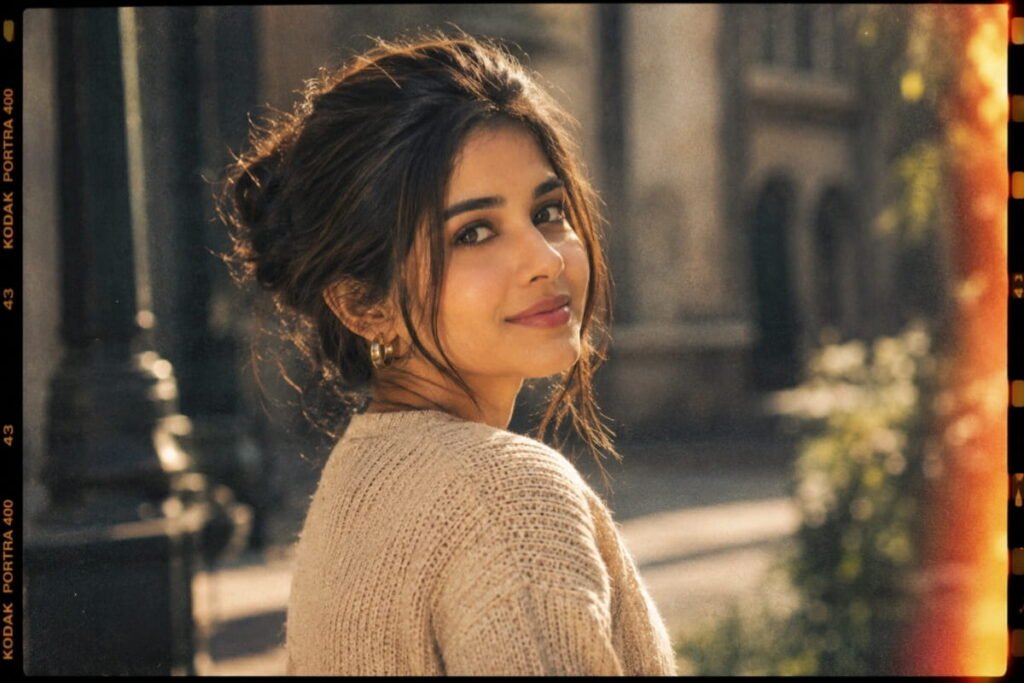
Best for: Nostalgic aesthetics, creative profiles, and artistic social posts.
Prompt:
“Convert my uploaded photo into a realistic vintage film-style portrait while keeping my face and identity unchanged. Use gentle film grain, slightly faded colors, warm highlights, soft contrast, and subtle analog-camera characteristics. Preserve natural skin texture, accurate facial proportions, and realistic hair details. Add a simple background with a nostalgic photographic atmosphere. Keep the grain fine and the image clear enough to recognize my features. Avoid excessive scratches, artificial aging of the face, or an illustrated appearance.”
20. Premium 85mm Portrait Photography
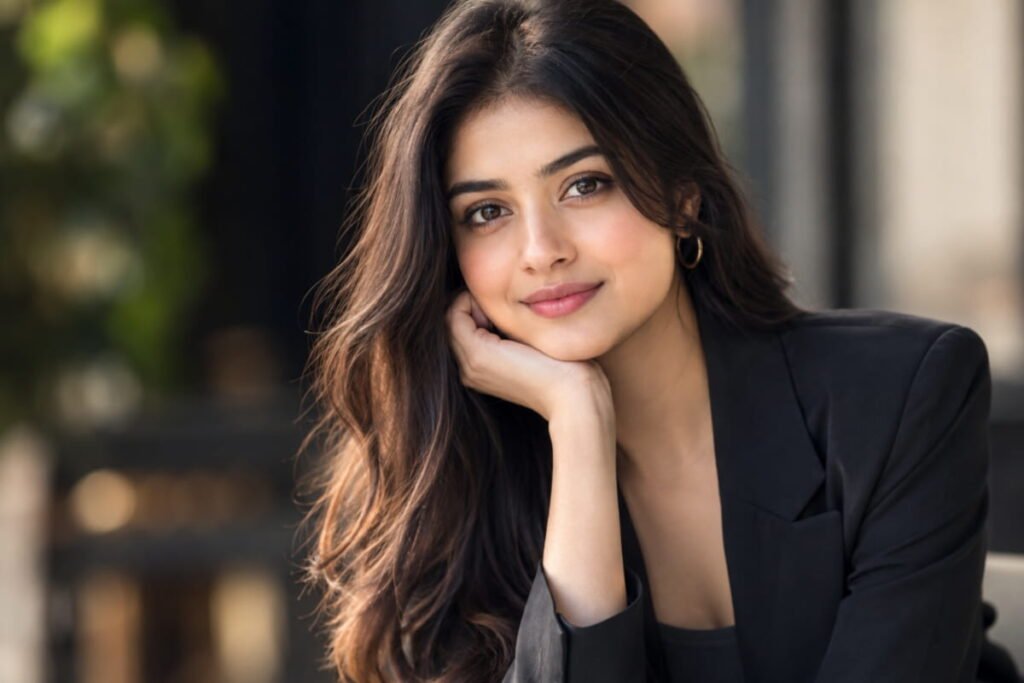
Best for: High-quality portraits, profile pictures, and personal branding.
Prompt:
“Transform my uploaded photo into a premium photorealistic portrait with the look of professional 85mm portrait photography. Preserve my original identity, face shape, eye color, skin tone, hairstyle, and natural expression. Use soft directional light, smooth but realistic background separation, precise eye focus, natural skin pores, and detailed hair strands. Maintain accurate facial proportions, subtle shadows, and lifelike colors. Use a sophisticated, uncluttered background and elegant composition. The result should resemble a real high-resolution portrait taken with a professional camera, without artificial skin smoothing or facial alterations.”
Tips to Get More Realistic Results With Gemini AI
Using a detailed prompt can help you communicate your desired result more clearly. Try these tips to improve your portrait edits.
1. Upload a high-quality original photo
Choose an image with a clearly visible face, good lighting, and minimal blur. This gives the AI a better reference for your facial details.
2. Always mention identity preservation
Add instructions such as “preserve my facial identity, face shape, skin tone, and natural expression.” This helps communicate that you want an edit of your photo rather than a completely different person.
3. Describe the lighting
Instead of simply asking for a beautiful portrait, specify the lighting. Examples include soft window light, golden-hour sunlight, studio lighting, or overcast daylight.
4. Avoid excessive beauty filters
For realistic portraits, request natural skin texture, visible pores, realistic hair strands, and subtle retouching. Overly smooth skin can make a photograph look artificial.
5. Change one detail at a time
If the first result is close to what you want, ask Gemini to adjust only the background, lighting, outfit, or composition. This can make it easier to refine the result without changing too many elements at once.
6. Check the final image carefully
Review facial details, hands, clothing, background objects, and shadows. AI-generated edits can occasionally introduce visual errors, so inspect the image before publishing it.
Common Mistakes to Avoid When Using Gemini Portrait Prompts
- Writing vague instructions: Specify the desired lighting, background, clothing, and photographic style.
- Combining too many styles: Mixing several unrelated aesthetics in one prompt can produce inconsistent results.
- Ignoring the original photo: A blurry or poorly lit reference image may make it harder to preserve facial details.
- Requesting unrealistic skin: Completely flawless skin can make portraits look artificial.
- Expecting identical results every time: Generated results can vary, even when you reuse the same prompt.
- Forgetting privacy: Upload only photos you have permission to use, and review the AI service’s privacy settings before sharing personal images.
Frequently Asked Questions (FAQs)
1. Can I use these Gemini AI photo editing prompts for free?
You can try these prompts with Google Gemini, subject to the features, usage limits, and access available to your account. Availability and editing capabilities may change over time.
2. How do I make my Gemini AI portraits look realistic?
Start with a clear reference photo and describe natural lighting, accurate facial proportions, realistic skin texture, and a believable background. Avoid excessive smoothing, exaggerated facial changes, and unrealistic colors.
3. Can Gemini AI edit my existing photo without changing my face?
You can explicitly instruct Gemini to preserve your original identity, facial features, and skin tone while changing the background, outfit, or lighting. However, exact identity preservation is not guaranteed, so review the result carefully.
4. Which prompt is best for a professional portrait?
Prompts 1, 10, 18, and 20 are good starting points for professional portraits, studio headshots, and personal branding.
5. Can I use these prompts for Instagram photos?
Yes. Prompts such as the golden-hour portrait, cinematic portrait, street-style portrait, and sunset beach portrait are suitable starting points for Instagram and other social platforms.
6. Do these prompts work for both men and women?
Yes. Most prompts can be adapted for different people by changing the clothing, hairstyle, pose, and other relevant details while preserving the uploaded person’s identity.
7. Why does Gemini sometimes change facial features?
AI editing may reinterpret facial details when applying a new style, changing lighting, or generating a different composition. Repeating the identity-preservation instructions and using a clear reference photo may help, but it cannot guarantee a perfect match.
Final Thoughts
These 20 Gemini AI photo editing prompts for realistic portraits give you a variety of ways to transform an ordinary photo into a professional, cinematic, stylish, or natural-looking portrait.
Start with the style you like most, upload a clear reference photo, and customize the prompt to match your preferences. Remember that the best results often come from simple, specific instructions and a few careful refinements.
If you enjoyed these prompts, explore more AI prompts and practical guides on AI Prompt Dekho to discover new ways to use artificial intelligence for creativity and productivity.
Ready to transform your photo? Choose your favorite prompt, open Gemini, and start experimenting with your own realistic portrait.
Disclaimer: AI-generated edits may differ from the original photo and can contain visual inaccuracies. Results depend on the reference image, the AI model, and the instructions provided. Always review generated images before sharing them publicly.